
Applicant Pool: What It Is, How to Build One, and What Happens After You Pick a Hire
What an applicant pool is, how it differs from a candidate pool and talent pool, realistic benchmarks, and how to manage one without HR or an ATS.

An applicant pool is not a complicated concept, but it is a frequently confused one. This guide defines what an applicant pool actually is, how it differs from a candidate pool and a talent pool (they are not the same thing), and how big yours should be, with realistic size benchmarks for small businesses.
Most other articles on the topic give slightly different definitions, mix up "applicant pool" with "candidate pool" and "talent pool," and assume you have an applicant tracking system (ATS) with automated screening. If your whole team fits around one table and the "ATS" is your email inbox, those articles are not helpful.
My advice before you post a job: write the scorecard first, and decide where every application will be kept. The rest of this guide shows how to build and manage a pool without an ATS, and what happens after you pick someone from it, the part most guides skip and where many small businesses lose money.
- Sign the offer letter
- Sign the employee handbook
- Workplace Safety course
What Is an Applicant Pool?
An applicant pool is the complete set of individuals who have submitted an application for a specific open position at your company. Everyone who clicks "apply" and submits a resume or application is part of the pool, whether or not they are qualified for the role. The pool exists for the duration of the hiring process and closes when the position is filled.
This definition matters because it carries a recordkeeping duty. Under the federal recordkeeping rule at 29 CFR 1602.14, an employer with 15 or more employees must preserve every personnel and employment record, application forms included, for one year from the date the record was made or the personnel action was taken, whichever is later.
That duty covers the whole pool, not the shortlist. You retain records for the people you rejected in the first ninety seconds on exactly the same terms as for the person you hired, and the application you cannot produce is usually the one somebody asks for.
Applicant Pool vs Candidate Pool vs Talent Pool
An applicant pool is everyone who applied for one role, a candidate pool is the screened subset of that group, and a talent pool is people who have not applied yet. People use the three terms interchangeably in casual conversation, and confusing them creates problems when you are trying to build a structured hiring process.
| Term | Definition | When They Enter | Example |
|---|---|---|---|
| Applicant pool | Everyone who applied for a specific open role | When they submit an application | 50 people applied for your operations manager posting. All 50 are your applicant pool. |
| Candidate pool | Applicants who passed initial screening and are being considered | After you screen resumes and conduct phone screens | Out of 50 applicants, 8 meet your qualifications. Those 8 are your candidate pool. |
| Talent pool | People who might be right for future roles but have not applied to a specific position | Before any role is open (proactive) | A list of 20 people you met at events, interviewed previously, or received referrals for, maintained for future openings. |
The relationship is a recruiting funnel: talent pool (passive, ongoing) feeds applicant pool (active, per-role), which narrows to candidate pool (screened, per-role), which narrows to your hire. For small businesses, the talent pool is often informal (a mental list of "people I should call when I have an opening").
One more term worth pinning down: recruitment pool. It gets used loosely for all three groups above, usually for whichever one is in front of the recruiter at that moment. When someone says the pool of candidates is too small, ask which stage they mean. The fix for too few applications is nothing like the fix for too few qualified ones.
How Big Should Your Applicant Pool Be?
Big enough to leave you three to five people genuinely worth interviewing, and no bigger. There is no reliable national average to plan against, and the round numbers that circulate in hiring guides come from vendor blogs rather than from any survey you can inspect.
What is measurable is the market you are posting into. According to the Bureau of Labor Statistics Job Openings and Labor Turnover Survey (August 2026), the economy carried 7.1 million job openings and 5.2 million hires in a single month. Volume per posting still moves with company size, location, and role type.
Treat the ranges below as working expectations rather than published figures. They describe what a small business posting on a couple of general channels tends to see, and they move with your metro and your pay range.
| Role Type | Typical Applicant Pool Size (Small Business) | What Drives the Number |
|---|---|---|
| Entry-level (admin, retail, customer service) | 50-150 applicants | High supply of candidates, broad job boards, low barrier to apply |
| Mid-level (operations, marketing, bookkeeping) | 20-60 applicants | Moderate supply, more specific qualifications filter out casual applicants |
| Senior / specialized (developer, controller, project manager) | 10-30 applicants | Limited supply, candidates are selective about where they apply |
| Executive / niche (CTO, licensed trades, specialized technical) | 5-15 applicants | Very limited supply, often requires direct outreach or referrals |
The target is "enough qualified applicants to give you 3-5 candidates to interview," not "as many applicants as possible." If you post a role and get 5 applicants, 4 of whom are unqualified, your applicant pool is too small. If you get 200 applicants and spend 30 hours screening, your job description (JD) is too broad.
 Nick Anisimov, FirstHR founder


When the Pool Is Too Small: Diagnosing a Quiet Posting
A posting that produces four applications in ten days is not bad luck, and reposting the identical text rarely fixes it. Application volume is front-loaded, so a quiet first week is a signal to change something rather than to wait. The diagnosis depends on where the drop-off happens, and every major job board reports enough to tell you: views, clicks to the application, and completed applications.
| What the numbers show | What is actually wrong | The fix |
|---|---|---|
| Few views | Nobody is finding the post. Almost always the job title or the channel. | Rename the role to the term candidates search for. Search your own title on a major job board and see whether comparable jobs use it; if the results are unrelated roles, your title is internal jargon. 'Office Manager' gets found, 'Administrative Operations Coordinator' does not. |
| Many views, few clicks to apply | The preview is not selling. Usually a missing salary range or a location that reads as ambiguous. | Put the pay range in the first three lines and state the arrangement plainly: onsite in a named city, hybrid with days specified, or remote with the eligible states listed. |
| Many clicks, few completed applications | The application form is the problem. | Count the screens. Requiring an account, a cover letter, and re-keying a resume that was already uploaded are the three biggest killers. One page, resume upload, two or three screening questions. |
| Plenty of applications, almost none qualified | The post describes a broader job than the one you are filling. | Move the three genuine must-haves into the first section under a 'you need to have' heading and cut the wish list. Vague postings attract volume and repel fit. |
| Good numbers, but candidates drop out after the first call | Pay, schedule, or a requirement you did not disclose. | Ask the ones who withdraw. Two honest answers will tell you more than another week of applications. |
Compensation deserves its own check, because it is the variable that quietly caps every other fix. In the growing number of states and cities with pay transparency laws, competitors have to publish ranges in their own postings, which means the market rate for your title in your metro is sitting in public for free. If your range starts below where theirs end, no amount of rewriting will help.
Types of Applicant Pools
An applicant pool falls into one of four types: internal, external active, external referral, or external passive, and the quality you can expect differs by type.
| Type | Source | When to Use | Quality Signal |
|---|---|---|---|
| Internal applicant pool | Current employees applying for a new role | Always post internally first for senior or desirable roles. Shows employees there is a growth path. | High: you already know their performance, culture fit, and reliability |
| External applicant pool (active) | General job boards, professional networks, industry and association boards | Most common for all role types. Required when no internal candidates exist. | Moderate: candidates actively seeking work, but qualifications vary widely |
| External applicant pool (referral) | Employee or personal network referrals | Use for every role. Ask before posting publicly. | High: referred candidates are pre-vetted by someone who knows your company |
| External applicant pool (passive) | Direct outreach to people not actively job-seeking | Senior, specialized, or hard-to-fill roles where qualified people are employed elsewhere | Variable: high quality if targeted, but response rates are low |
For most small businesses the applicant pool is mostly job board applicants plus employee referrals, with occasional direct outreach for specialized roles. Running the opening through internal recruitment first costs nothing and occasionally ends the search before it starts.
Building and Managing an Applicant Pool Without an ATS
If you hire 3 to 10 people per year, you do not need an applicant tracking system. You need a Google Sheet with 5 columns and a process for reviewing applications within 48 hours of receipt.
| Column | What to Track | Why |
|---|---|---|
| Name | Applicant's full name | Basic identification |
| Date applied | When the application was received | Response time tracking (respond within 48 hours) |
| Source | Where they applied from (job board, professional network, referral, direct) | Track which channels produce qualified applicants |
| Qualified? | Yes / No / Maybe (based on 3-5 must-have skills from the JD) | Separates applicant pool from candidate pool |
| Notes | Resume highlights, phone screen verdict, interview score | Context for comparison after multiple interviews |
The process: check for new applications daily during an active posting (set a 5-minute calendar reminder). Mark each applicant as qualified, not qualified, or maybe based on the 3 to 5 must-have skills from the job description.
From there the clock is short. Phone screen the qualified ones within a week. Interview the top 3 to 5 within the following week. Decide within 48 hours of the last interview. Total time investment: 1 to 2 hours per week during the active hiring period.
An applicant tracking system becomes worthwhile when you hire 15+ people per year or when you have multiple hiring managers who need to share applicant data. Below that volume, the spreadsheet is faster to set up, easier to use, and costs nothing.
Screening 50 Applicants Down to 8
This is the step every guide summarizes as "review applications" and nobody explains. The work is to turn a job description into a scorecard before the first resume arrives, then apply it the same way to every person in the pool. Building the scorecard afterward, once you have already read a few resumes, means the criteria get shaped by the applicants instead of by the job.
Split your requirements into two lists. Must-haves are three to five binary facts: holds the license, has closed a month-end, writes production SQL, can work Saturdays. They are pass or fail, never partially credited. Nice-to-haves are three or four qualities you score from 1 to 5 and weight.
A must-have list that runs past five entries is a wish list, and it will empty your pool before you have read anything.
Then run two passes. The first pass is knockouts only: 60 to 90 seconds per resume, checking whether each must-have is evidenced somewhere on the page, marking yes or no in the spreadsheet, and ranking nothing. Fifty applications take about an hour.
The second pass scores only the survivors on the weighted nice-to-haves and ranks them, which is where you decide who gets a phone screen. Keeping the two passes separate stops the common failure where an impressive resume in an unrelated field survives because it was read early and everything after it got graded against it.
| Stage | Time per person | What you are deciding | Typical survivors from 50 |
|---|---|---|---|
| Pass 1: must-have knockouts | 60-90 seconds | Does the resume evidence every must-have? Pass or fail, no ranking. | 12-18 |
| Pass 2: weighted scoring | 3-5 minutes | How well does each survivor match the nice-to-haves? Score and rank. | 8-10 |
| Phone screen | 15-20 minutes | Pay expectations, availability, and two role-specific questions. Same questions, same order, every time. | 4-6 |
| Interview | 45-60 minutes | Depth on the must-haves, plus a work sample if the role allows one. | 3-4 |
| Reference and offer | 30 minutes | Verify the two claims that most affect the decision. | 1 |
Work backward from that table when you are deciding whether your pool is big enough. If a role needs three interviews and, as in that table, roughly one applicant in ten survives to the interview stage, you need somewhere near thirty applications of the right type.
The ratio that matters is yours rather than anyone's benchmark: the share of your applicants who clear your must-haves, which depends almost entirely on how specific your posting was.
Score each survivor on one sheet per applicant, or one row each in a tracker; the mechanics of the scorecard itself, the phone screen scores, and the per-candidate log are laid out in the candidate screening guide. What belongs to the pool rather than to any one applicant is the tally underneath: which channel each application came from, what the posting was doing while it ran, and the ratios that tell you how many applications this role needed in the first place.
| A | B | C | D | E | F | G | H | |
|---|---|---|---|---|---|---|---|---|
| 1 | Source or channel | What it cost | Applications received | Met the must-haves | Phone screened | Interviewed | Hired | Run it again, drop it, or spend more? |
| 2 | Employee referrals | $0 | ||||||
| 3 | Internal posting | $0 | ||||||
| 4 | General job board | |||||||
| 5 | Professional network | |||||||
| 6 | Industry or association board | |||||||
| 7 | Direct outreach | |||||||
| 8 | ||||||||
| 9 | ||||||||
| 10 | Total this opening | |||||||
| 11 | Judge a channel on the third column onward, never on volume alone. Thirty applications and no interviews is a channel that cost you a week |
Fill the source tab as the opening runs, so that by the end you know which channels produced people who cleared the must-haves rather than which produced the most email. Update the posting tab weekly while the listing is live, because a quiet posting is diagnosable only while the numbers are still moving.
Come back to the funnel tab after two hires, when you finally have enough of your own ratios to replace every benchmark in this article with numbers that describe your business.
Consistency is the whole legal defense here, not bureaucracy. If a rejected applicant later claims the decision was discriminatory, you have either a scorecard applied identically to everyone or nothing.
Two habits carry most of that defense: ask every phone-screened applicant the same questions in the same order, and write the notes the same day, in job-related language only. "Could not describe a reconciliation she had run" is a record. "Not a culture fit" is an exhibit for the other side.
Keeping the Rest of the Candidate Pool Warm
The candidate pool does not stop being useful the moment someone accepts the offer. Two or three of the people you interviewed were close, and for the next opening they cost nothing to find, because the sourcing, the screening, and the interviews are already done.
Close the loop deliberately. Tell everyone who was interviewed that the role is filled, within a week and in a message written by a person, and ask the two or three runners-up whether they want to hear about the next opening.
Then note in the tracker what each runner-up was strong at and where the gap was. That note is what makes the list usable in six months, when you will not remember.
Done consistently, this habit turns a per-role candidate pool into a standing talent pool, the one you call before you post anything. A short list of people who already cleared your must-haves is worth more than another job board, and it costs one email per opening to maintain.
Applicant Records: What to Keep, for How Long, and Why
If you have 15 or more employees, federal law makes you keep every application, resume, and screening note from your applicant pool for one year, including those from applicants you screened out at a glance.
The retention rules are short but specific. They come from Title VII of the Civil Rights Act, the Americans with Disabilities Act (ADA), and the Age Discrimination in Employment Act (ADEA), plus two laws for federal contractors: Section 503 of the Rehabilitation Act and the Vietnam Era Veterans' Readjustment Assistance Act (VEVRAA).
The common small-business practice of letting applications live in an email inbox until the inbox gets cleaned out satisfies none of them.
| Rule | Who it covers | How long |
|---|---|---|
| Title VII and ADA recordkeeping (29 CFR 1602) | Employers with 15 or more employees | All personnel and employment records, including applications and resumes from people you did not hire, for 1 year from the date the record was made or the personnel action was taken, whichever is later |
| ADEA recordkeeping (29 CFR 1627) | Employers with 20 or more employees | Applications and other pre-employment records for 1 year, and job advertisements and postings for 1 year |
| Charge or lawsuit filed | Any covered employer | Preserve everything related to the position and the charging party until final disposition. The 1-year clock stops mattering the moment a charge arrives. |
| Federal contractors, Section 503 and VEVRAA (41 CFR 60-741.80 and 60-300.80) | Covered contractors and subcontractors | 2 years, reduced to 1 year for contractors with fewer than 150 employees or no Government contract of at least $150,000 ($200,000 under VEVRAA) |
A final rule published August 21, 2026 changes the contractor row. It rescinds 41 CFR parts 60-1, 60-2, 60-3, 60-4, 60-20, 60-40, 60-50, and 60-999 effective October 26, 2026, following the revocation of Executive Order 11246, the order behind those federal contractor nondiscrimination rules.
The rescission takes both the old contractor recordkeeping rule at 60-1.12 and the four-part "Internet Applicant" definition at 60-1.3 (the contractor-only test for who counts as an applicant) off the books.
What survives for contractors is Section 503 and VEVRAA, the veterans statute, whose own regulations carry the same two-year retention rule at 41 CFR 60-741.80. For every other employer the obligation was never the four-part test anyway. It is the simpler one in the table: keep the records for a year and be able to produce them.
Three practical consequences follow. First, if you invite applicants to voluntarily self-identify race, sex, or ethnicity, collect it on a form separate from the application and keep it away from whoever is making the screening decisions, so the data exists for reporting without touching the selection.
Background checks come second, and the Fair Credit Reporting Act (FCRA) is the law behind them. The FCRA sequence the Federal Trade Commission lays out is not optional: written disclosure and authorization first, then a pre-adverse action notice with a copy of the report and the summary of rights, then a reasonable wait so the applicant can dispute an error, then the final adverse action notice.
Many employers treat five business days as that reasonable wait. The statute itself names no number of days, so treat five as a floor to work from rather than a safe harbor, and wait longer where a state or city fair chance law sets its own window.
Automated screening is third. If a tool scores, ranks, or filters applicants, check your local rules before you turn it on. New York City requires an independent bias audit conducted within the year before use, a published summary of it, and notice to candidates for automated employment decision tools.
Illinois regulates AI analysis of recorded video interviews. Since January 1, 2026, its Human Rights Act also makes it a civil rights violation to use AI in recruiting or hiring in a way that discriminates on a protected basis, to use zip codes as a proxy for a protected class, or to fail to give notice that AI is being used.
The unglamorous version of all this is a single folder per opening containing the job posting as published, the scorecard, every resume received, the screening notes, and the offer. It takes minutes to maintain during an active search and is close to impossible to reconstruct a year later, which is exactly when someone asks for it.
Building a Diverse Applicant Pool
Diversity in the applicant pool is a filter problem, not a software problem. It does not require a diversity, equity, and inclusion (DEI) platform or a dedicated diversity recruiter. It requires removing the screens that exclude qualified people for reasons unrelated to the work, and the degree requirement is the biggest one.
Start with the degree line, because the arithmetic is public. Among labor force participants aged 25 and over in 2023, the Bureau of Labor Statistics reports that 44% of White workers, 36% of Black workers, and 25% of Hispanic workers held a bachelor's degree or higher. That screen narrows the pool at very different rates before anyone reads a resume.
| Action | Why It Works | Effort |
|---|---|---|
| Remove degree requirements for roles that do not legally require one | Bachelor's degree attainment differs sharply by group in the BLS labor force data, so the screen narrows the pool along lines that have nothing to do with the job. | 5 minutes (edit the JD) |
| Post the pay range in the job description | A published range lets candidates self-select on pay up front instead of withdrawing after the first call, and in a growing number of states the posting rule already requires it. | 0 minutes (add one line) |
| Post on at least one channel outside your usual two | SHRM points employers toward diversity-focused organizations, job fairs, and inclusive hiring platforms that the general boards do not reach. | $0-$200 per posting |
| Use skills-based screening instead of resume-based screening | Resumes reward access: school name, internship opportunities, uninterrupted employment. A work sample rewards the thing the job needs. | 15 minutes to create a simple task |
| Ask every employee for referrals from different networks | Referral programs reproduce the demographics of the existing team. Ask explicitly for referrals from 'people you know who are different from the current team.' | 5 minutes per conversation |
The channel row and the referral row each rest on a source worth reading in full. SHRM tells employers to write job descriptions free of biased language, to check that every requirement is genuinely necessary, and to look beyond the usual channels.
The same SHRM guidance cites a SHRM Foundation finding on one group that screens often shut out: 81% of HR professionals rate the quality of hire of workers with criminal records as about the same or better.
Referrals carry a caution of their own. The Equal Employment Opportunity Commission (EEOC) puts it plainly: word-of-mouth recruiting in a racially diverse workforce can promote diversity, but the same method in a non-diverse workforce is a barrier to equal employment opportunity when it does not produce applicant pools reflecting the qualified labor market.
What Happens After You Pick a Hire From the Applicant Pool
Most applicant pool guides end at "screen, interview, hire." Few cover what happens to the person you selected: the transition from "applicant" to "employee." For small businesses, this transition is where the investment in building an applicant pool either pays off or is wasted.
The applicant pool funnel looks like this: 50 people apply, 8 are qualified, 5 get interviews, 1 gets the offer letter. That 1 person is the entire return on your hiring effort. Protecting that investment requires the same structure after the hire as before it.
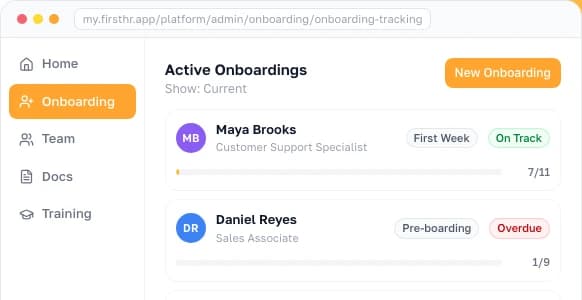
I built FirstHR for the moment the applicant pool closes and the new hire begins. The AI onboarding wizard builds a role-specific onboarding plan from the position and department you are hiring into, and that plan can be extended into a 30-60-90 day plan.
The handbook acknowledgment goes out for e-signature before Day 1. Form I-9 and W-4 go on the first-day task list, and the completed forms, filled in outside the platform, are kept in the employee file. Task workflows let you put a deadline on each step between offer acceptance and full productivity.
Before your next posting goes live, write the scorecard, set up the tracker, and start the hiring folder. Then plan the new hire's first week with the same care you gave the pool.

Frequently Asked Questions
What is an applicant pool?
An applicant pool is every person who has applied for one particular open role at your company, qualified or not. It differs from a candidate pool, which holds only the applicants who passed your first screening, and from a talent pool, which is a database of potential future hires who have not applied for a specific role. A pool opens the day the posting goes live and closes once the position is filled. How large it gets depends on the channel, the location, and the role: a senior or licensed position may draw only a dozen people, while an entry-level one advertised broadly can draw well over a hundred.
What is the difference between an applicant pool and a candidate pool?
An applicant pool includes everyone who applied for a job. A candidate pool is the subset of applicants who passed your initial screening criteria and are being actively considered. Think of it as a funnel: 50 people apply (applicant pool), you screen out 42 who do not meet basic requirements, and the remaining 8 become your candidate pool. Some companies also use 'candidate pool' to mean a database of people interested in future roles, but technically that is a talent pool.
What is a good applicant pool size?
A good applicant pool leaves you three to five people truly worth interviewing, which is a different question from how many applications came in. No published national average is worth planning around; the round figures quoted in hiring guides trace back to vendor blogs, not to a survey you can inspect. Work backward from your own funnel instead. Out of 50 applications, expect 12 to 18 to clear the must-haves and four to six to earn an interview, so a mid-level role drawing 20 to 60 is doing its job. Entry-level roles clear that bar easily, and specialized ones rarely do. If only four people apply in ten days, the job title, the pay range, or the application form is usually the cause.
How do you build an applicant pool without an ATS?
You can build one with a spreadsheet and two or three posting channels, and a business that hires three to ten people a year does not need an applicant tracking system (ATS) to do it. Post each opening on a general job board, a professional network, and your own employees. Log every applicant in a sheet with their name, the date applied, the source, a yes, no, or maybe for qualification, and notes. Review new applications within 48 hours, and move the qualified ones to a separate 'candidates' tab. The whole routine takes about five minutes per applicant, which covers the core of what an ATS does at low hiring volume.
Who legally counts as an applicant?
For almost every small employer, anyone who applied counts as an applicant. Title VII and ADA recordkeeping, which applies once you have 15 or more employees, asks you to preserve application records and has no test that sorts applicants into countable and uncountable groups. The four-part 'Internet Applicant' test that older hiring guides quote was a federal contractor rule from the Office of Federal Contract Compliance Programs (OFCCP), issued under Executive Order 11246, and it is going away. A final rule published in the Federal Register on August 21, 2026 rescinds 41 CFR parts 60-1 through 60-4, 60-20, 60-40, 60-50, and 60-999, taking effect October 26, 2026. You can still use the test as a rough working definition. What actually binds you is simpler: keep the records, do not delete applications, and apply the same screening criteria to everyone.
How long should you keep applicant records?
Keep them for one year, measured from the later of two dates: when the record was created, or when the related personnel action took place. That is the federal rule at 29 CFR 1602.14 for employers with 15 or more employees, and it reaches applications, resumes, and interview notes for people you did not hire. The Age Discrimination in Employment Act (ADEA) adds a parallel one-year rule at 20 or more employees, covering job applications and the advertisements themselves. Federal contractors under Section 503 of the Rehabilitation Act or the Vietnam Era Veterans' Readjustment Assistance Act (VEVRAA) keep personnel records for two years, but only one year if they have fewer than 150 employees or no Government contract of at least $150,000; under VEVRAA that contract figure has been $200,000 since September 21, 2026. Once a charge is filed, none of these clocks matter: preserve everything tied to that position until the matter is finally resolved. Keep it all in one consistent place, not scattered across email inboxes.
What is the difference between an internal and external applicant pool?
An internal applicant pool consists of current employees who apply for an open role (promotion or lateral move). An external applicant pool consists of outside candidates. At a small business, internal applicant pools are often one or two people at most. The advantage of internal applicants: they are already onboarded, culturally integrated, and have a track record you can verify directly. The disadvantage: promoting internally creates a new vacancy downstream that still needs to be filled externally.
How do I increase the size of my applicant pool?
Five practical tactics. (1) Put the pay range in the first three lines, so candidates stop self-selecting out over a number they cannot see. (2) Drop degree requirements from any role that does not legally need one; bachelor's degree attainment differs sharply by group, so that screen narrows the pool before anyone reads a resume. (3) Add one industry or association board alongside your usual two channels. (4) Ask every employee for two referrals before you post publicly. (5) Rewrite the job title to match what candidates actually search for: 'Office Manager' gets found, 'Administrative Operations Coordinator' does not. The biggest mistake is posting on eight boards and monitoring none of them. Two channels managed well outperform eight managed poorly.
Make HR the easy part of running your business
Onboarding, e-signatures, training and core HR in one place. Up and running in 5 minutes.
- 7-day free trial
- No credit card required
- Cancel anytime