LXP vs LMS: Differences and What Small Businesses Need
LXP vs LMS explained: key differences, when you need each, and why growing businesses may need neither. A practical guide for small business owners.

LXP vs LMS
Key differences and what growing businesses actually need for employee training
When I started looking for a training tool at a previous company, every comparison article told me the same thing: you need either a learning management system (LMS) or a learning experience platform (LXP). One is structured, the other is self-directed, and pricing for either usually means a per-user rate or a sales quote. This guide explains what each one is, how they differ, when each makes sense, and why most small businesses do not need either.
I had 18 employees. I needed to train new hires on our product, assign compliance courses, and track who completed what. I did not need AI-powered learning paths, social learning features, a content marketplace, or SCORM (the standard that lets courses move between platforms).
I bought an LMS anyway because every guide said I should. We used about 10% of its features. The other 90% sat there costing us money and making the interface confusing for employees who just needed to watch a training video and sign an acknowledgment. After a year, I cancelled the subscription and moved training into our onboarding platform. Everything worked better.
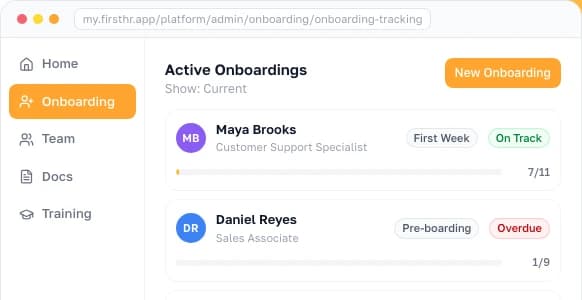
I built training modules into FirstHR as part of the onboarding platform specifically because training and onboarding are the same workflow at growing businesses, and buying a separate tool for each creates more complexity than it solves.
What Is an LMS (Learning Management System)?
An LMS is a software platform that lets organizations create, assign, deliver, and track employee training. It is a top-down system: administrators build courses, assign them to employees or groups, set deadlines, and monitor completion. The LMS tracks who completed what, when they completed it, and what their assessment scores were.
LMS platforms were built as the digital replacement for classroom training binders. They solved a real problem for large organizations: tracking mandatory training across thousands of employees across multiple locations. If you have 2,000 employees who each need to complete 5 annual compliance courses, an LMS is the only way to manage that at scale.
What Is an LXP (Learning Experience Platform)?
An LXP is a newer category of learning platform that focuses on employee-driven discovery rather than administrator-driven assignments. Think of the difference between a university curriculum (LMS) and a library with a recommendation engine (LXP). Both deliver learning. The LMS tells you what to learn. The LXP helps you find what you want to learn.
LXPs grew out of a realization that mandating training through an LMS was not the same as creating a learning culture. Employees completed assigned courses but rarely sought additional development. LXPs addressed this by making learning feel more like browsing Netflix than completing homework. The trade-off: LXPs are better for voluntary development but worse for mandatory compliance tracking.
LXP vs LMS: Key Differences
The core difference is control. An LMS gives control to the administrator. An LXP gives control to the learner. Everything else follows from that distinction.
| Dimension | LMS | LXP |
|---|---|---|
| Who controls learning? | Administrator assigns courses | Employee discovers content |
| Content model | Structured courses with defined sequences | Content library with search and recommendations |
| Primary use case | Compliance, mandatory training, certifications | Professional development, skill building, exploration |
| Content sources | Internally created or purchased courses | Aggregated from multiple sources (internal + external) |
| Tracking focus | Completion rates, assessment scores, compliance deadlines | Engagement metrics, skills gained, learning paths |
| AI features | Auto-assignment based on role or group | Personalized recommendations based on behavior and goals |
| Typical company size | Mid-size and enterprise | Enterprise |
| Pricing model | Usually published: flat monthly tiers or about $2-$8 per user/month, some only above a 100-user floor | Mostly quoted through sales. The few published rates cover small-team plans only |
| Setup complexity | Medium: course creation, user management, reporting | High: content aggregation, integrations, personalization rules |
In practice, the line between LMS and LXP is blurring. Major vendors like Docebo and 360Learning now offer both structured assignment (LMS) and self-directed discovery (LXP) in a single platform. The standalone LXP category is consolidating into broader learning suites. For most buyers, the question is less "LMS or LXP?" and more "how much learning infrastructure do I actually need?"
When You Need an LMS
A dedicated LMS makes sense when three conditions are met simultaneously. First, you have grown past small business scale, because the administrative overhead of a standalone LMS is not justified below it.
The second condition is heavy compliance training requirements: multiple certifications to track, renewal dates to manage, and audit-ready reports to produce. The third is training volume that exceeds what manual tracking or a simpler tool can handle: 10+ new hires per quarter, multiple concurrent training programs, or multi-location delivery.
Regulated industries are the exception to the size condition, because an LMS is typically necessary there at any company size: healthcare (patient-privacy rules, clinical protocols, continuing education), financial services (regulatory compliance, licensing), manufacturing (workplace-safety rules, equipment certifications), and construction (safety training with specific certification requirements). In these industries, the LMS is less a learning tool than a compliance tool that happens to deliver learning.
The obligations behind that are specific. The Health Insurance Portability and Accountability Act (HIPAA) requires a covered entity, such as a health plan or a healthcare provider, to train every member of its workforce on its privacy policies, and to retrain each workforce member whose functions are affected when those policies materially change.
The Occupational Safety and Health Administration (OSHA) sets its training requirements inside each individual standard that applies rather than as one blanket refresher interval.
When You Need an LXP
An LXP makes sense at enterprise scale, with a mature learning culture where employees actively seek development, a budget for content subscriptions (LinkedIn Learning, Coursera for Business, or similar), and a goal of building a "learning organization" where continuous development is part of the company identity.
LXPs are rarely necessary below mid-size scale. The self-directed discovery model assumes employees have dedicated time for learning, that the company subscribes to enough content sources to make discovery worthwhile, and that there is someone managing the platform, curating content, and measuring engagement. At a small business, the employee who would manage the LXP is also doing five other jobs.
When You Need Neither: The Growing Business Reality
Most small businesses do not need a dedicated LMS or LXP. Skipping both is the right call, given how training actually works at this scale.
At a growing business, training is part of onboarding, not a standalone function. New hire orientation, compliance training, product knowledge, and role-specific skills all happen in the first 90 days as part of the same workflow that handles paperwork, introductions, and tool setup.
Splitting training and onboarding into two systems has a cost. Using a different tool for training than for onboarding creates duplicate data entry, split tracking, and the inevitable "I thought the other system handled that" gaps.
The timing makes it worse. According to research reported by SHRM (2017), up to 20% of all employee turnover occurs in the first 45 days of employment, which is exactly the window in which a new hire is absorbing the most training.
What growing businesses actually need from a training tool: the ability to upload training content (videos, documents, links), assign it to specific employees with deadlines, track who completed what and when, collect acknowledgment signatures for compliance, and generate a report proving training happened.
HR platforms with built-in training modules already include these features, so you do not need a separate per-seat subscription to get them.
| What You Need | LMS Solution | HR Platform with Training |
|---|---|---|
| Upload training videos and documents | Yes (plus SCORM, xAPI, cmi5 you will not use) | Yes |
| Assign training to new hires | Yes (complex role-based rules) | Yes (integrated with onboarding workflow) |
| Track completion with dates | Yes | Yes |
| Compliance training tracking | Yes (enterprise-grade audit trails) | Yes (completion records with signatures) |
| Collect e-signatures on training acknowledgments | Sometimes (often requires add-on) | Yes (built in) |
| AI-generated onboarding plans by role, training included | Rarely | Yes (in platforms with AI features) |
| Onboarding workflow integration | No (separate system) | Yes (training is part of onboarding) |
| Typical monthly cost | About $2-$8 per user on published plans, so it grows with every hire | $98 flat for up to 10 people or $198 for 11-50, with no per-hire charge |
Choosing a Training Approach by Company Size
Match the tool to your stage. A founding team can run on free tools such as standard operating procedures (SOPs), videos, and checklists. A small business is better served by an HR platform with built-in training. Mid-size companies can add a dedicated LMS, and enterprises with a dedicated learning and development (L&D) team run an LMS plus LXP.
| Company Stage | Recommended Approach | Why | What It Costs |
|---|---|---|---|
| Founding team | Free tools: Google Docs SOPs, Loom videos, checklists, buddy system | Training volume is low (1-3 hires/year). Manual tracking works. No compliance complexity. | $0 |
| Small business | HR platform with built-in training modules | Training is part of onboarding. Need assignment, tracking, and compliance records without a separate system. | $98-$198/month flat for up to 50 people |
| Small business with real compliance load | HR platform with training, supplemented with external courses | Growing complexity. May need external compliance courses. Training still tied to onboarding and HR workflows. | $98-$198/month flat for up to 50 people, plus per-course fees for outside compliance content |
| Mid-size | Dedicated LMS or HR platform with advanced training features | Training volume justifies dedicated tooling. Multiple locations or departments. Compliance tracking at scale. | Published per-user LMS rates run about $2-$8/user/month, and a few start only at 100 users |
| Enterprise | LMS + LXP (often combined in one enterprise platform) | Mandatory training at scale (LMS) plus employee development culture (LXP). Dedicated L&D team to manage. | Quoted per deal. Most enterprise vendors publish no rate at all |
The pattern: complexity and cost should scale with company size and training needs. A small business buying an enterprise LMS is like a food truck buying a commercial kitchen for a restaurant chain. The tool is not wrong. The scale is wrong.
How to Deliver Training Without a Dedicated LMS
Effective training at growing businesses does not require enterprise learning infrastructure. It requires content, structure, and tracking, applied consistently. Here is how to deliver each of the three without a standalone LMS or LXP.
Content: Create Once, Deliver Repeatedly
Record 10-minute video walkthroughs of your most repeated processes. Write SOPs for critical workflows. Save compliance course certificates from third-party providers.
Keep everything in one central location (your HR platform, Google Drive, or a shared folder). This is your training library. It does not need to be fancy. It needs to be findable and up to date.
Structure: Tie Training to the 30-60-90 Day Plan
Instead of building a separate training curriculum, embed training tasks into the onboarding timeline. The 30-60-90 day plan is the structure. Training tasks are the content within it.
A schedule might run like this. Day 1-7: compliance training and company orientation. Day 8-14: product knowledge. Day 15-30: role-specific skills with supervised practice. Day 31-60: advanced skills with decreasing supervision. Day 61-90: independent execution with performance check.
Tracking: Assign, Remind, Verify
The minimum viable tracking system does three things: assign training tasks with deadlines, send reminders as deadlines approach, and verify completion with a signature or assessment, keeping the record. This can be a Google Sheet at the smallest scale or a task workflow in your HR platform for larger teams.
Common Mistakes When Choosing Learning Platforms
Growing businesses make five common mistakes when evaluating LMS and LXP platforms. Each one wastes money or creates unnecessary complexity.
Frequently Asked Questions
What is the difference between LXP and LMS?
An LMS (Learning Management System) is a structured platform where administrators assign courses, track completion, and manage compliance training. It is top-down: the company controls what employees learn and when. An LXP (Learning Experience Platform) is a discovery-based platform where employees find and consume content based on their interests, role, and AI recommendations. It is bottom-up: employees drive their own learning. LMS is about compliance and structure. LXP is about exploration and personalization.
Do small businesses need an LMS?
Most small businesses do not need a dedicated LMS. The case for one builds at mid-size scale, where heavy compliance training, many certifications to renew, and a steady flow of new hires arrive together. Before that point, an HR platform with built-in training modules handles onboarding courses, completion records, and role-specific skills without a second system to pay for and maintain. The exception is regulated industries such as healthcare, financial services, manufacturing, and construction, which typically need one at any company size.
What is an LXP in simple terms?
An LXP (Learning Experience Platform) is like Netflix for corporate learning. Instead of being assigned specific courses, employees browse a library of content, get AI-powered recommendations based on their role and interests, and decide for themselves what to learn and when. LXPs pull content from several sources (internal courses, LinkedIn Learning, Coursera, YouTube) into one place that employees can search. They are designed for large organizations with mature learning cultures.
Can an LMS and LXP work together?
Yes, many enterprise organizations use both. The LMS handles mandatory training (compliance, certifications, onboarding) with structured assignments and deadlines. The LXP handles voluntary development (skill building, career growth, interest-based learning) with self-directed exploration. In practice, major vendors such as Docebo and 360Learning now sell LMS and LXP features inside one product. This combined approach is typically relevant at enterprise scale.
How much does an LMS cost?
There is no single answer, because the billing model matters more than the platform does. Read off the vendor pricing pages in October 2026, three shapes are in circulation. Flat tiers: TalentLMS is free up to 5 users and $119 a month billed yearly for up to 40. Per active user with no floor: 360Learning publishes $8 per user per month up to 100 users, so 30 seats is $240 a month. Per user above a floor: iSpring LMS (formerly iSpring Learn) lists $6.91 per active user for 100 users, or $8,286 a year, while a team under 100 has to request pricing. Enterprise platforms mostly keep rates off the page, and the few that show a number list starting prices from $8,000 a year. An HR platform with training built in charges a flat fee instead: one plan at $98 a month covers up to 10 people, and $198 covers up to 50.
What are alternatives to LMS for small business?
Five alternatives that growing businesses use instead of a dedicated LMS: HR platforms with built-in training modules (training integrated into onboarding workflows), Google Workspace (Docs for SOPs, Drive for training materials, Sheets for tracking), recorded video walkthroughs (Loom or similar for process training), in-person mentoring and buddy systems (free, effective for role-specific skills), and project management tools with checklists (Asana, Notion for tracking training tasks). Most small businesses can combine 2-3 of these approaches effectively.
What is SCORM and do I need it?
SCORM (Sharable Content Object Reference Model) is a technical standard that allows e-learning courses to work across different LMS platforms. If you buy a SCORM-compliant course from a vendor, it will run in any LMS that supports the same SCORM version. You need SCORM support if you purchase third-party e-learning courses or need to share training content between different platforms. Most small businesses creating their own training content (videos, documents, checklists) do not need SCORM. It solves an interoperability problem that only matters at enterprise scale.
When should a growing business invest in an LMS?
Consider a dedicated LMS once all three of these are true. First, your company has outgrown small business scale, so per-user costs and admin work become justified. Second, compliance training is heavy, with several certifications and renewal dates to track. Third, training volume has passed what manual tracking can handle, for example 10 or more new hires per quarter or several training programs running at the same time. If any one of the three is missing, an HR platform with training modules or free tools will likely serve you better.
Make HR the easy part of running your business
Onboarding, e-signatures, training and core HR in one place. Up and running in 5 minutes.
- 7-day free trial
- No credit card required
- Cancel anytime