Introducing Equipment: know who has every laptop and key
New in FirstHR: Equipment, one list of what your company hands out and who has each piece, with requests from your team and nothing walking out when someone leaves.

Today we're adding Equipment to FirstHR: one place for everything your company hands out, laptops, phones, keys, uniforms, tools, even vans, and for who has each piece right now.
In most small companies that list lives in a spreadsheet nobody updates, or in one person's head. A new hire's laptop never gets written down, a broken drill gets mentioned in a chat and forgotten, and when someone leaves, the keys and the company phone sometimes leave with them. Equipment puts all of it in one place, for you and for every employee.
See who has what, at a glance
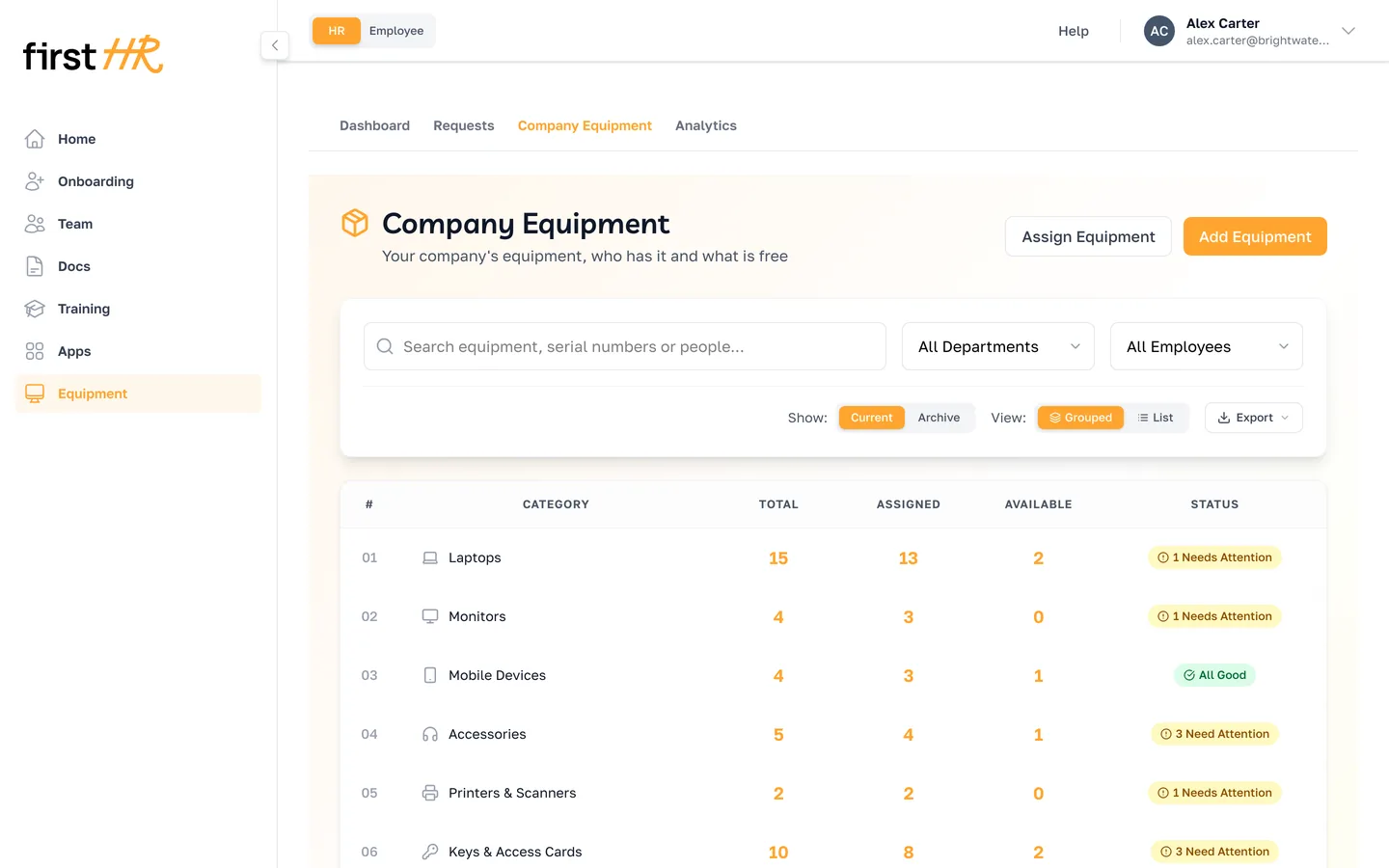
Everything you hand out sits in one list, by category: how many pieces you have, how many are out and how many are free. Categories that need you are marked, whether it's a request, an issue or a return waiting for you, or a piece nobody has confirmed yet.
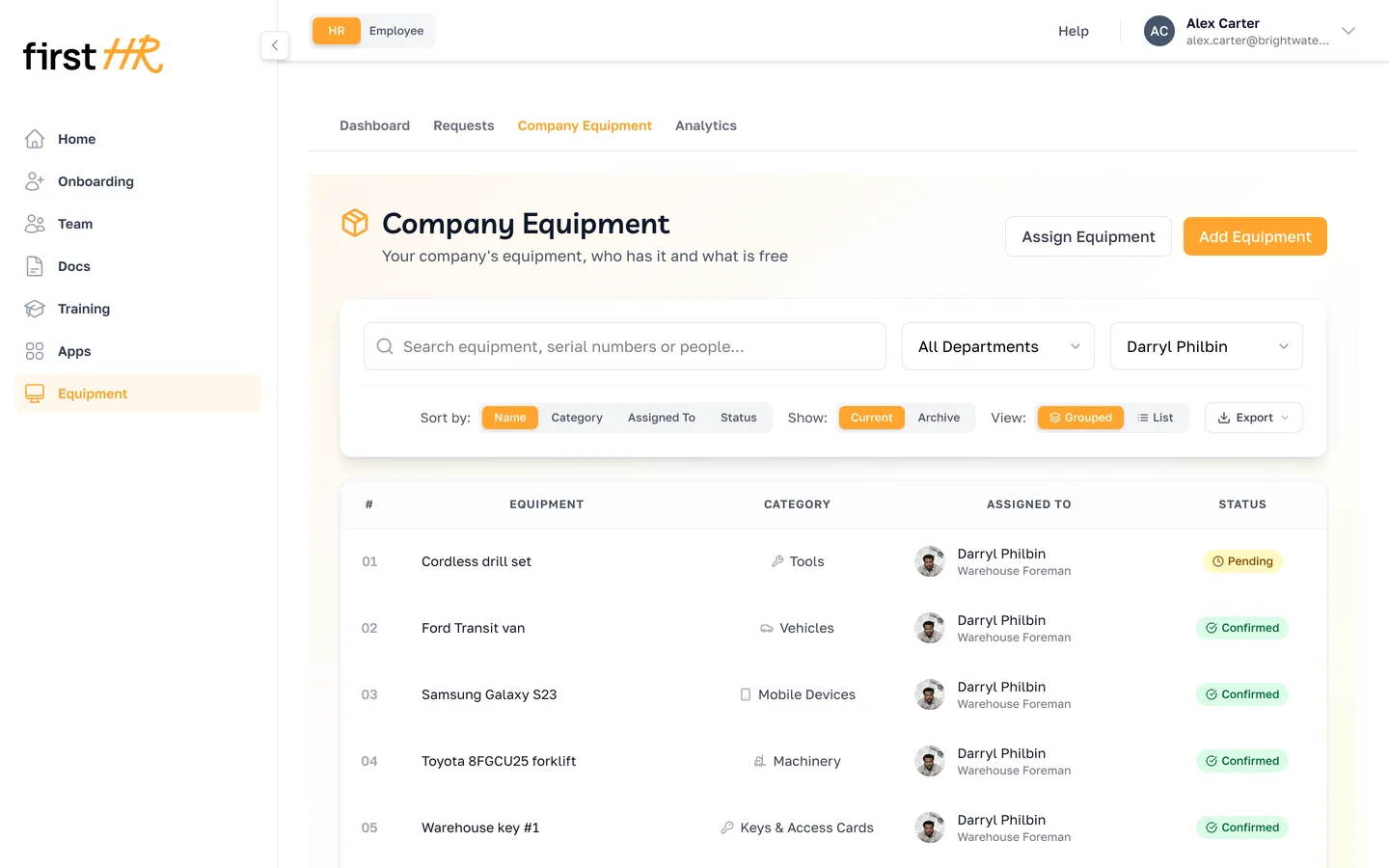
Pick a person and you see everything they have, from the phone to the forklift. Each piece keeps its serial number, value and notes for HR only, its warranty and service dates if you track them, and a history of who had it and when.
Hand it out, and get a confirmation
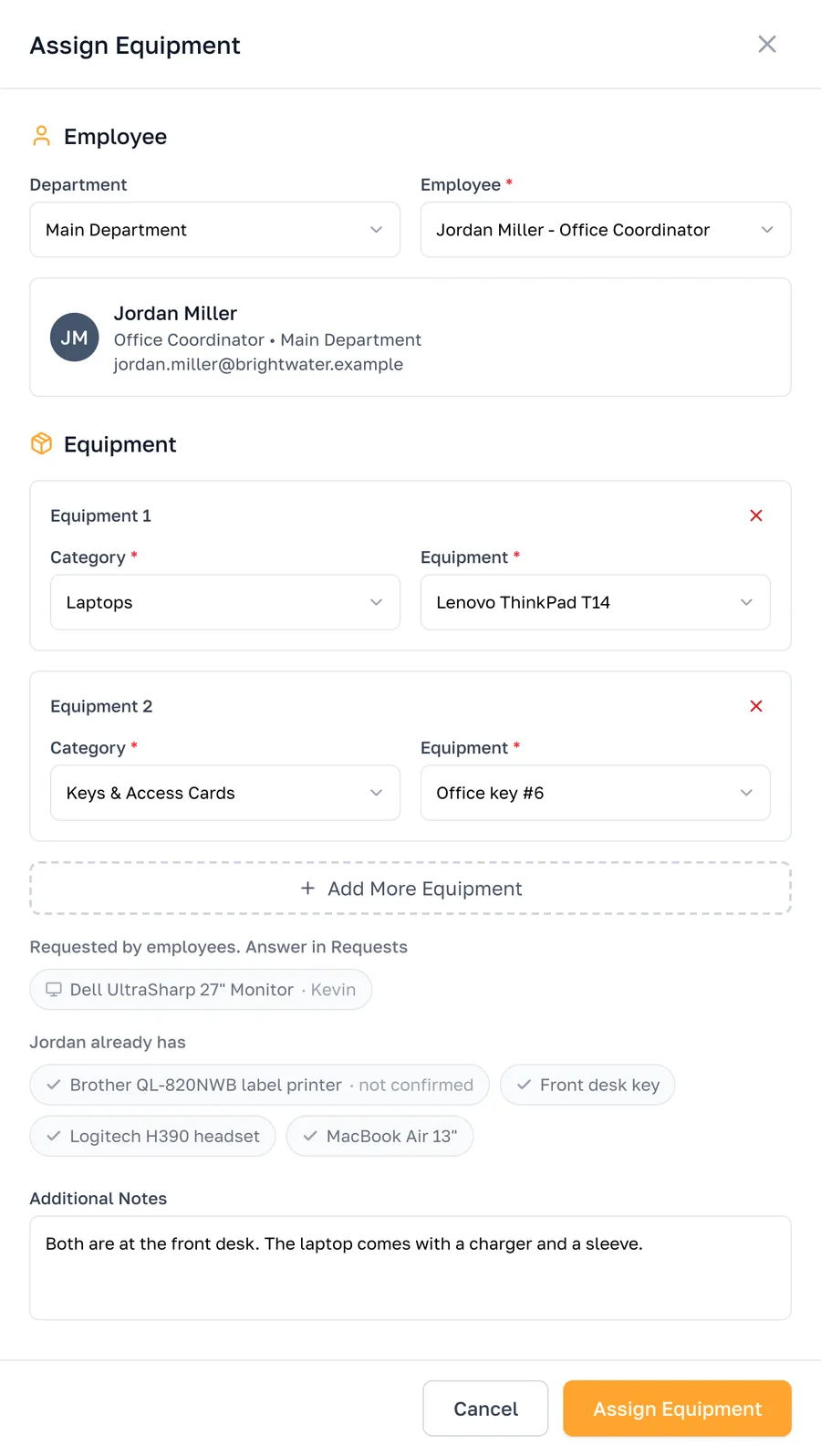
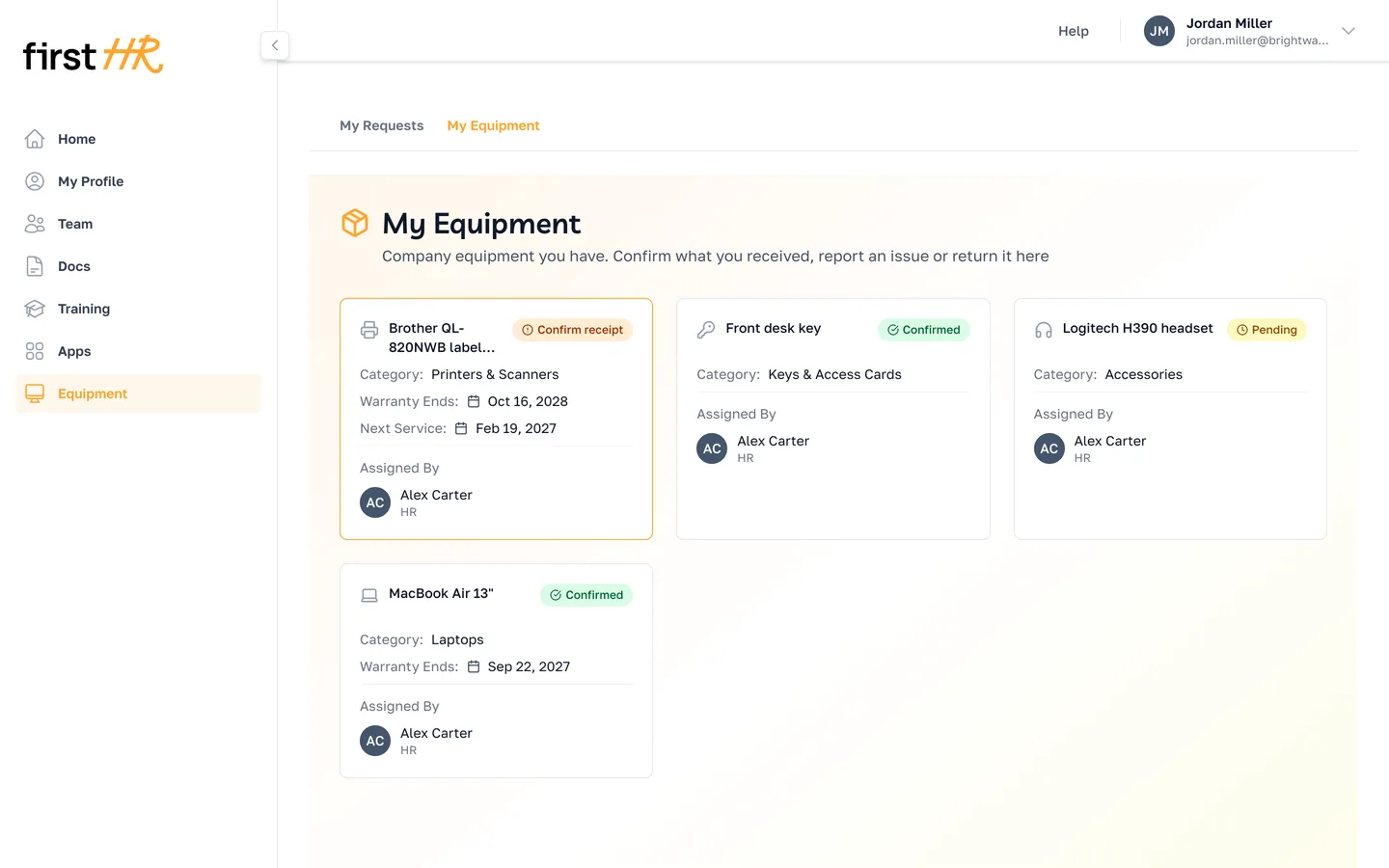
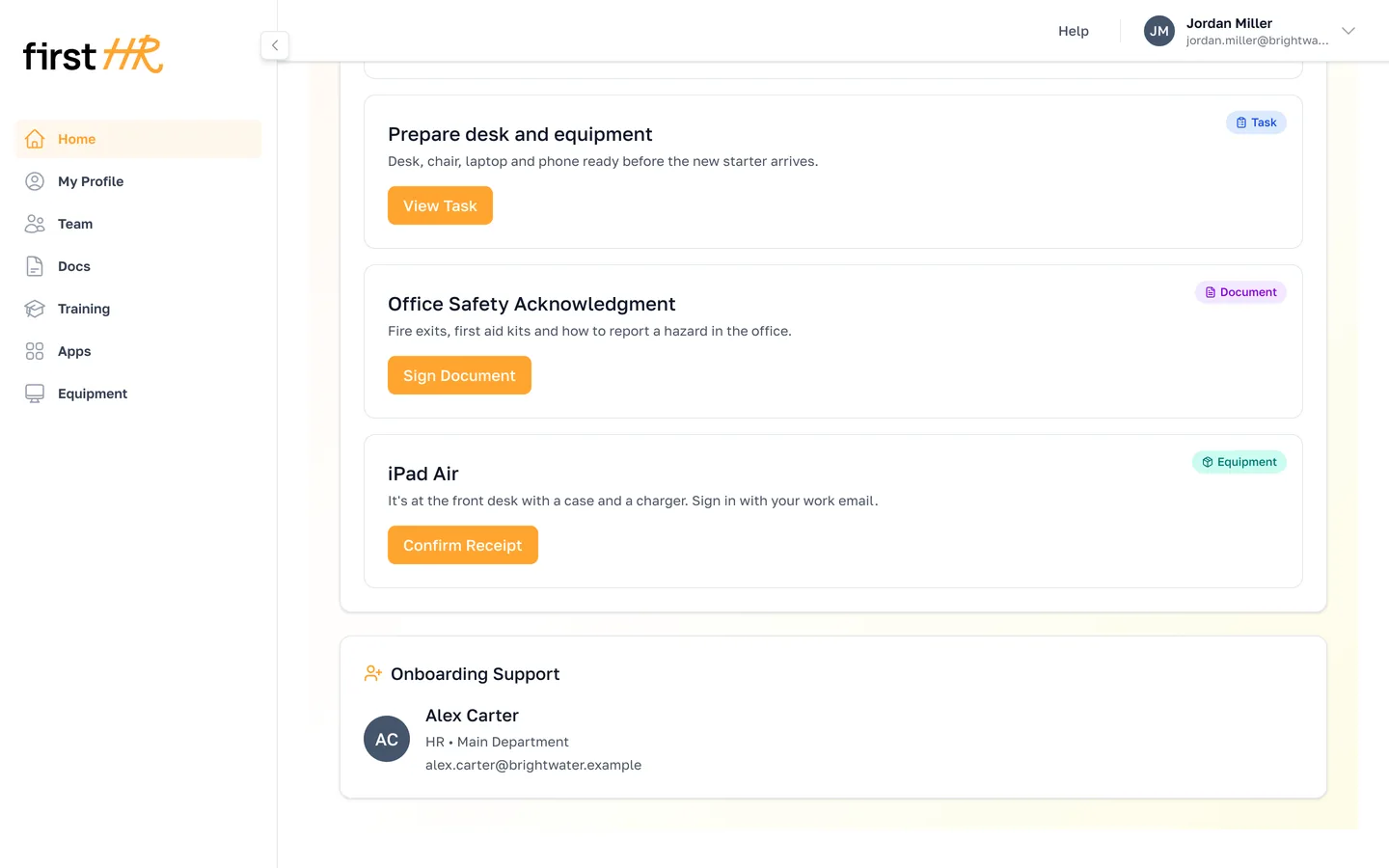
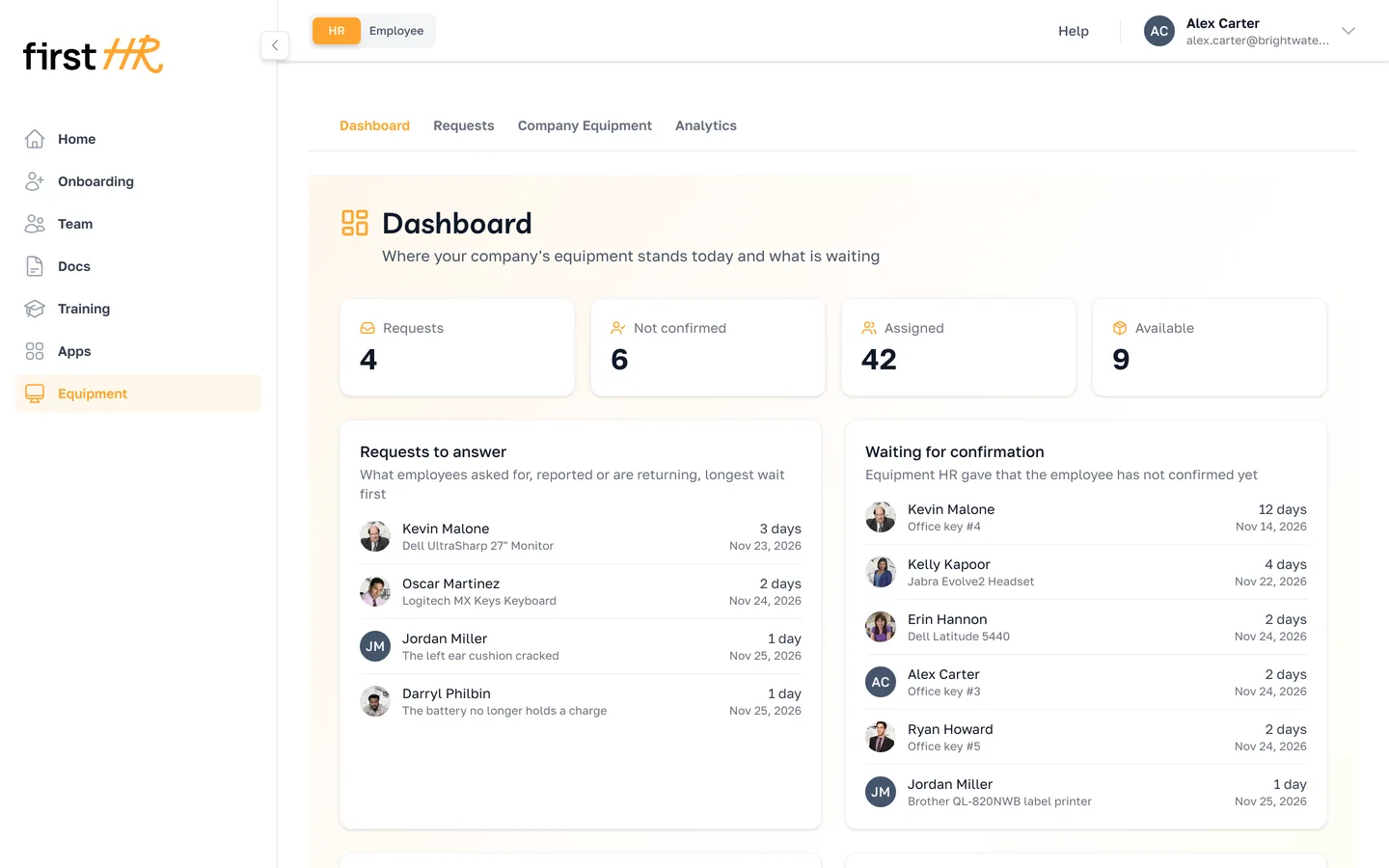
Assign a laptop or a set of keys to someone, and they get an email. The piece waits in their portal until they confirm they received it, which also says it belongs to the company and comes back when they leave. You see at once who hasn't confirmed yet.
Requests that don't get lost in a chat
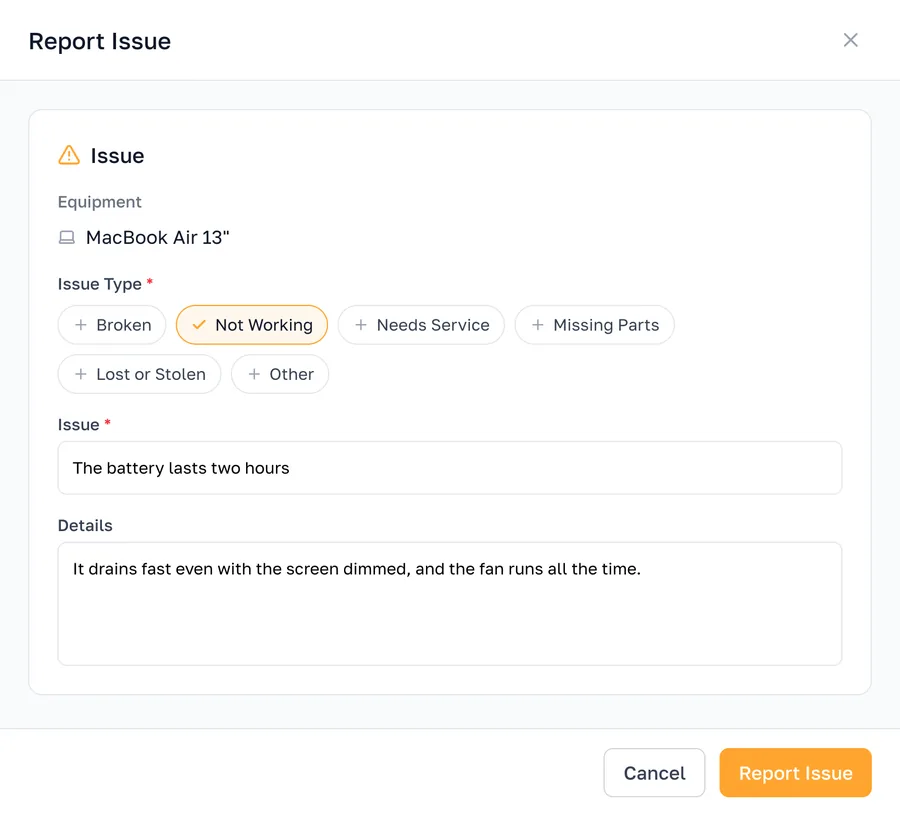
Your team asks for what's free, reports what broke and starts returns from their own portal. Each one lands in one list, with an email to HR, and stays there until you answer. A piece someone asked for is held for them, so two people never get the same laptop.
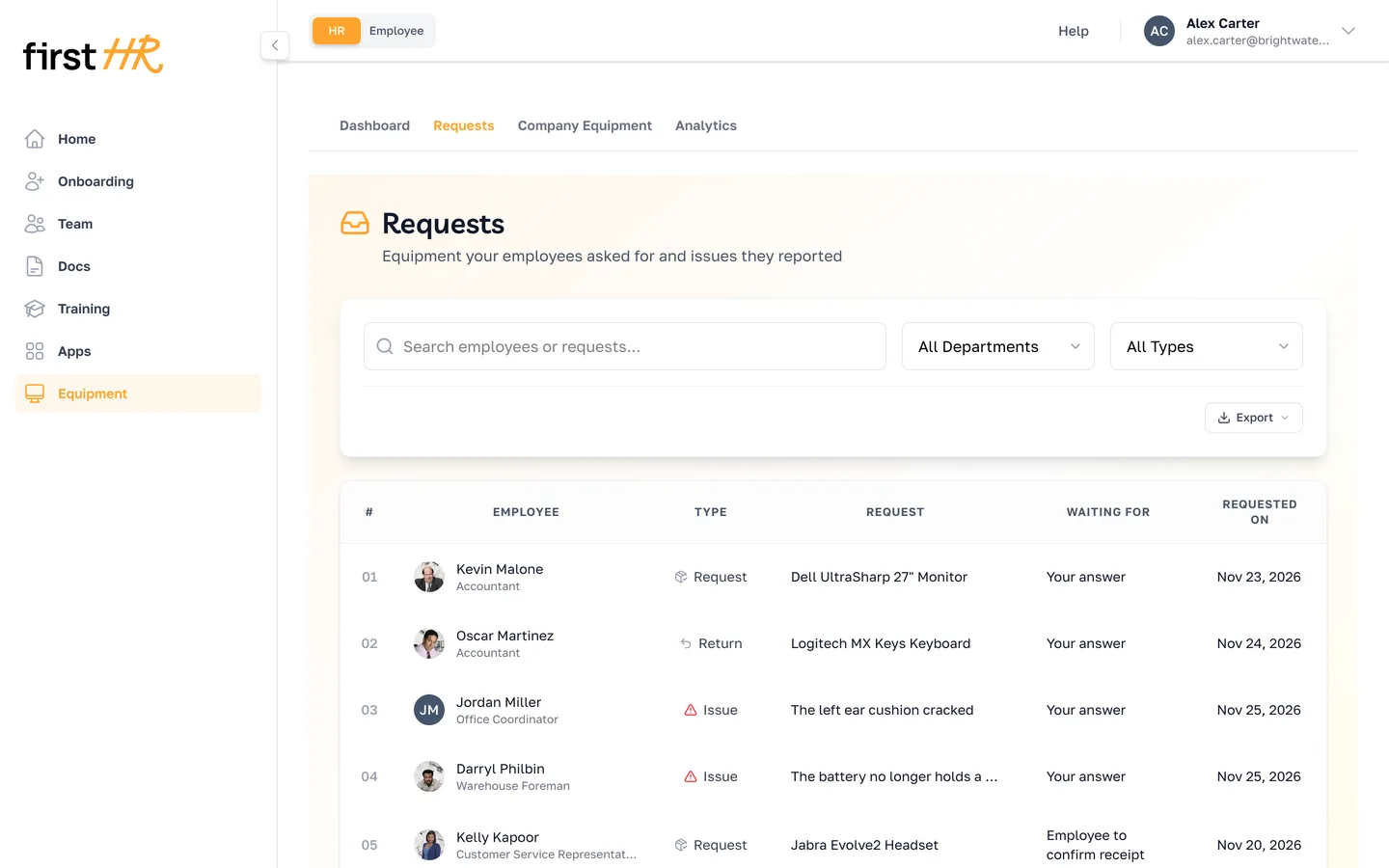
Say yes and the piece is theirs to confirm, or say no and tell them why if you want to. For a broken piece, you decide whether it stays with them, comes back to you or goes to the archive. A return counts only when you mark it as returned.
Nobody leaves with your equipment
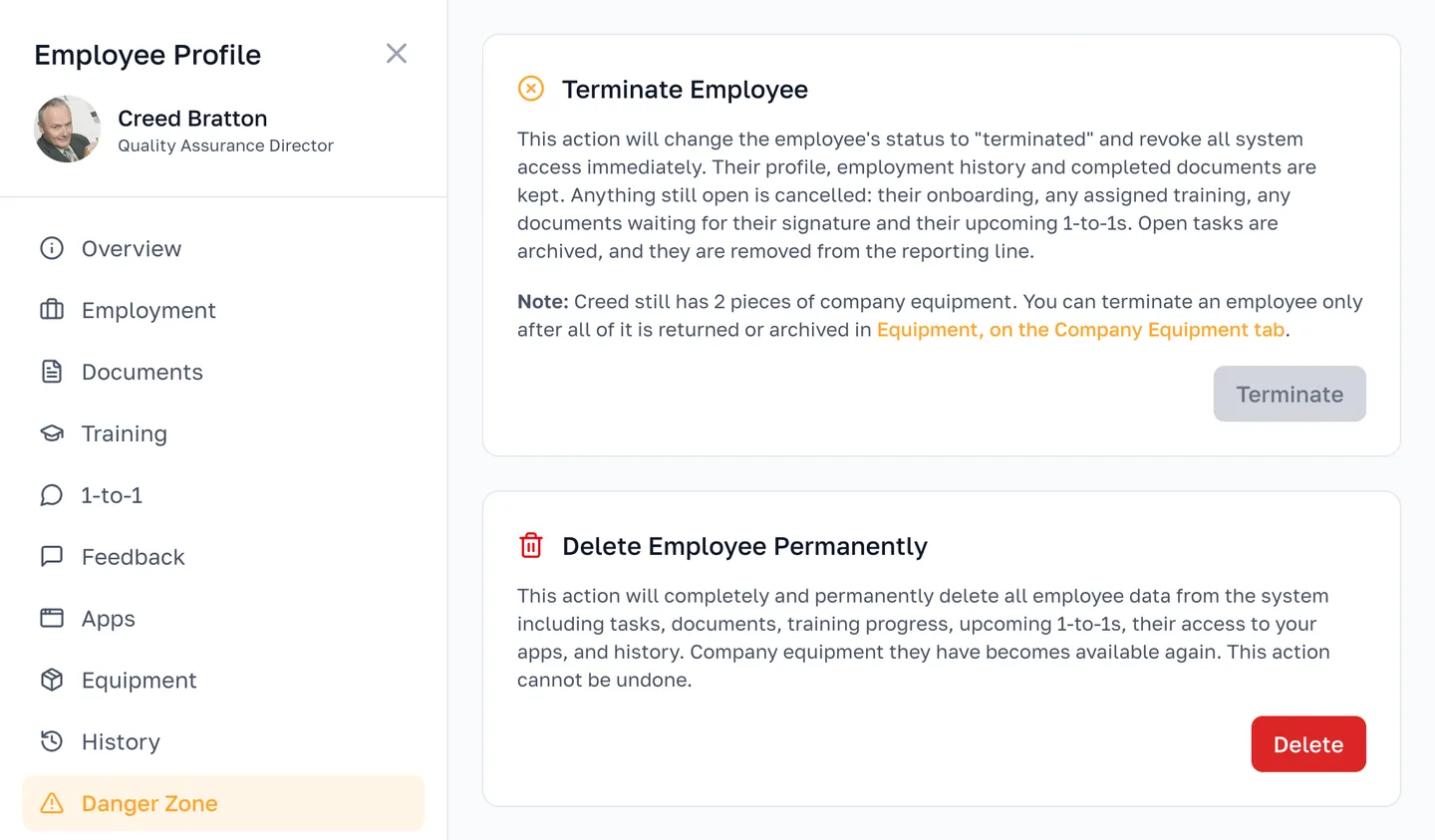
Just like app access, FirstHR won't let you terminate someone who still has company equipment. It says how many pieces they have and takes you straight to the list, so offboarding starts with getting things back, not with an awkward call a week later.
Ready on the first day
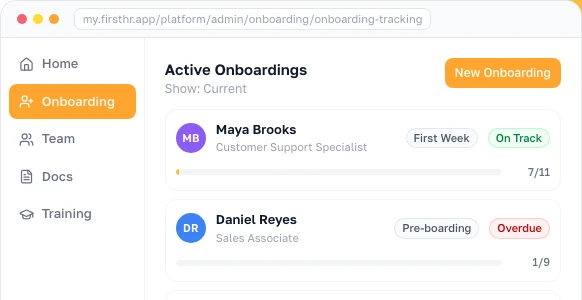
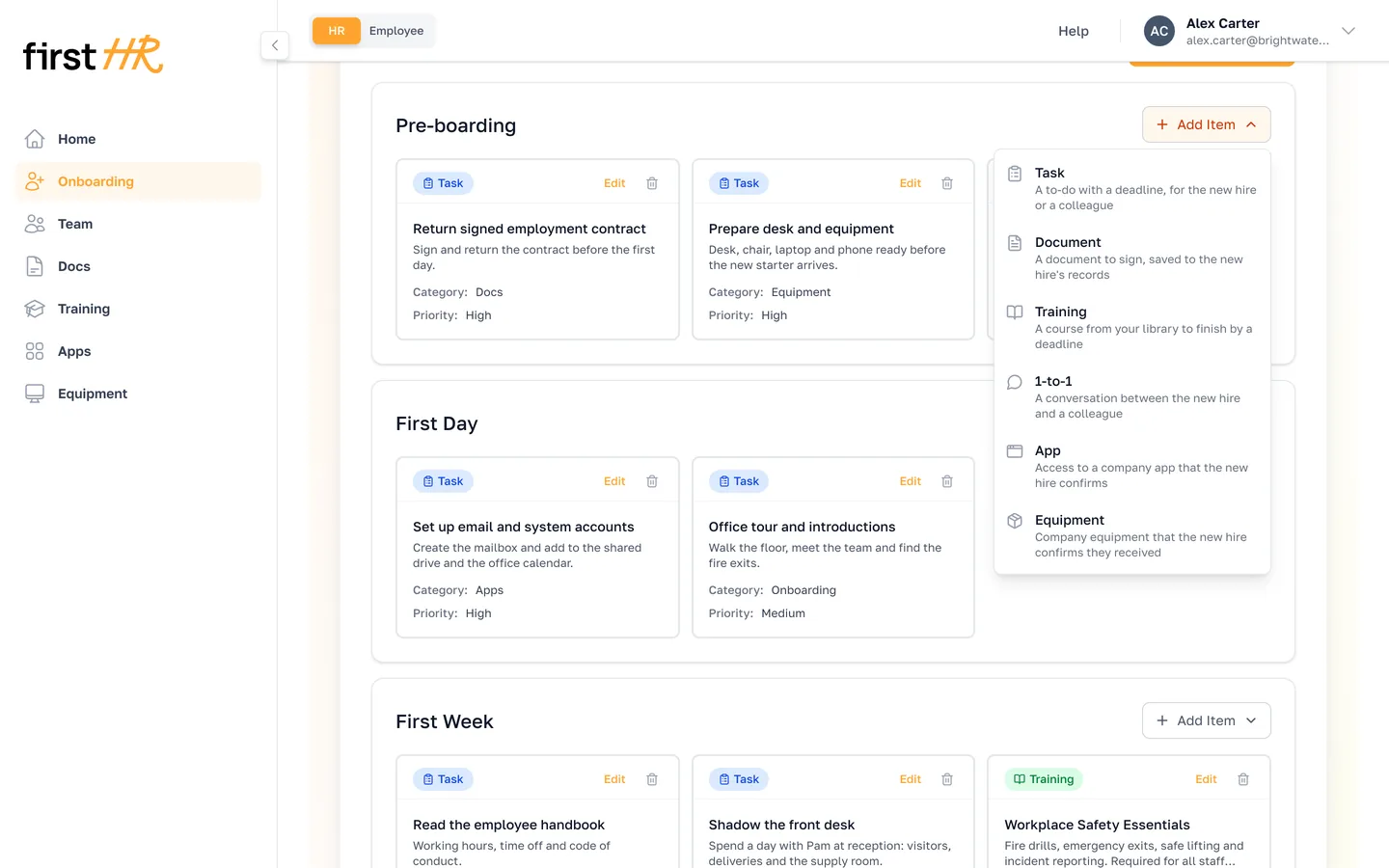
Add equipment to an onboarding plan, next to tasks, documents and courses. When you start it, the piece is assigned to the new hire, and they confirm it right in their onboarding. Templates keep the category, so for each hire you only pick which laptop.
What needs you, and how it's going
The Equipment Dashboard shows what's waiting on you today, plus warranty and service dates that have passed or come up in the next 60 days. Analytics shows what went out and came back over 3, 6 or 12 months, and how fast people confirm.
Try it with your team
Equipment comes with every plan, the free trial included. Start with what every new hire gets on day one, a laptop, a key or a uniform, and add it to your onboarding template. The next time someone leaves, you'll know exactly what to get back.