Free tools, dashboards, analytics and exports
27 new free HR calculators and tools on our site. In FirstHR: dashboards and analytics, Excel and CSV export, and importing your team from a file.

This update has two parts: free tools on our site that anyone can use without an account, and a big round of changes inside FirstHR.
27 new free calculators and tools
Running a small team means answering questions with numbers in them: what a paycheck comes to after taxes, what overtime costs this week, what a new hire costs on top of their pay. The answer usually depends on your state, so we built free tools that know the rules.
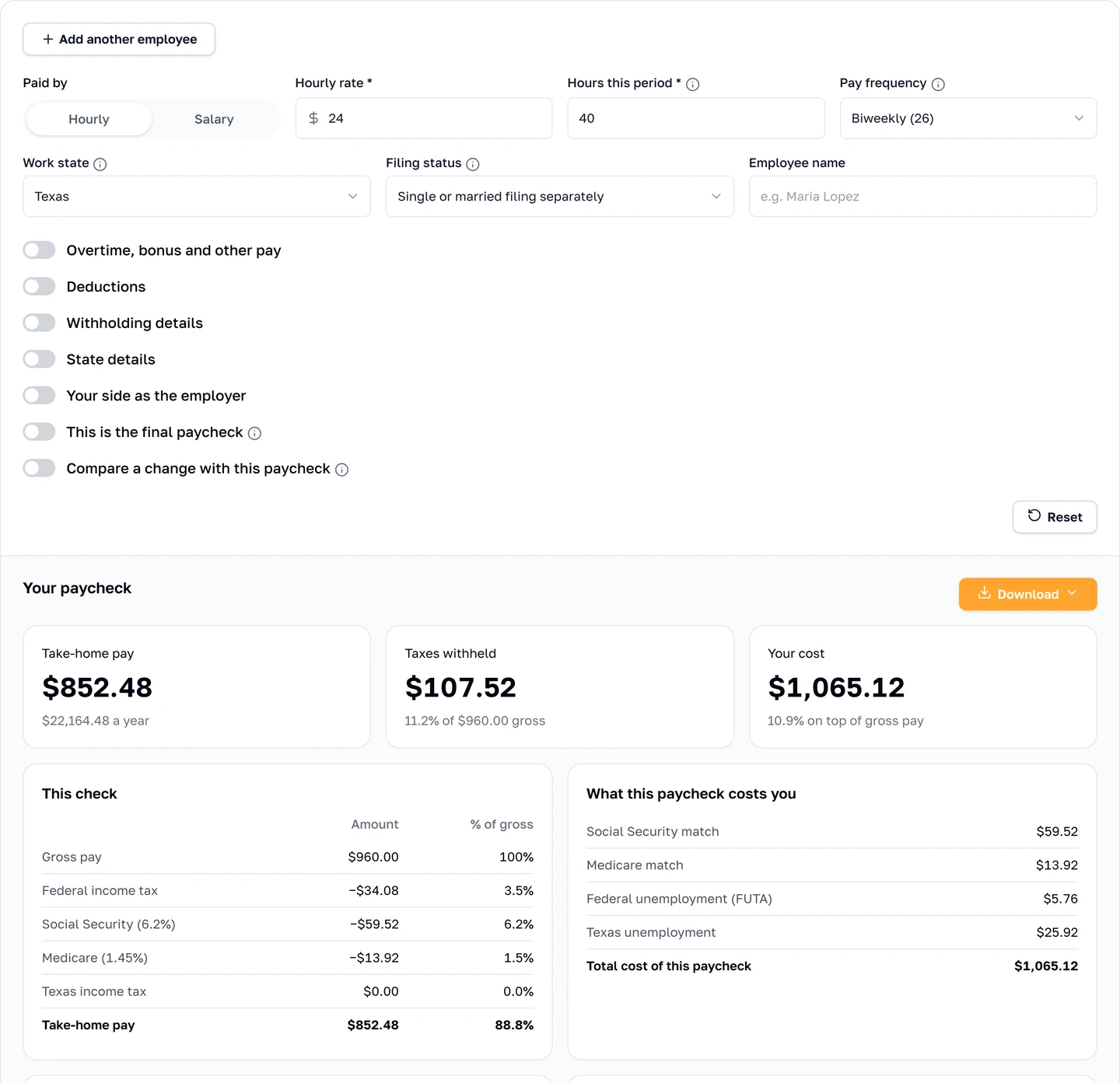
- Paychecks in every state. A paycheck calculator for every state and DC on the 2026 tax formulas, with its own page for 13 states.
- Pay rules. Overtime under your state's rules, tip pools, holiday pay, retro pay, prorated salary, severance and wage garnishments.
- What people cost. The full cost of an employee, 1099 vs W-2, raises, compa ratio, workers' comp, mileage and per diem.
- Time and leave. Time cards, PTO accrual, FTE and Massachusetts paid leave contributions.
- Your team. Penalties for common compliance mistakes, years of service, eNPS and retention.
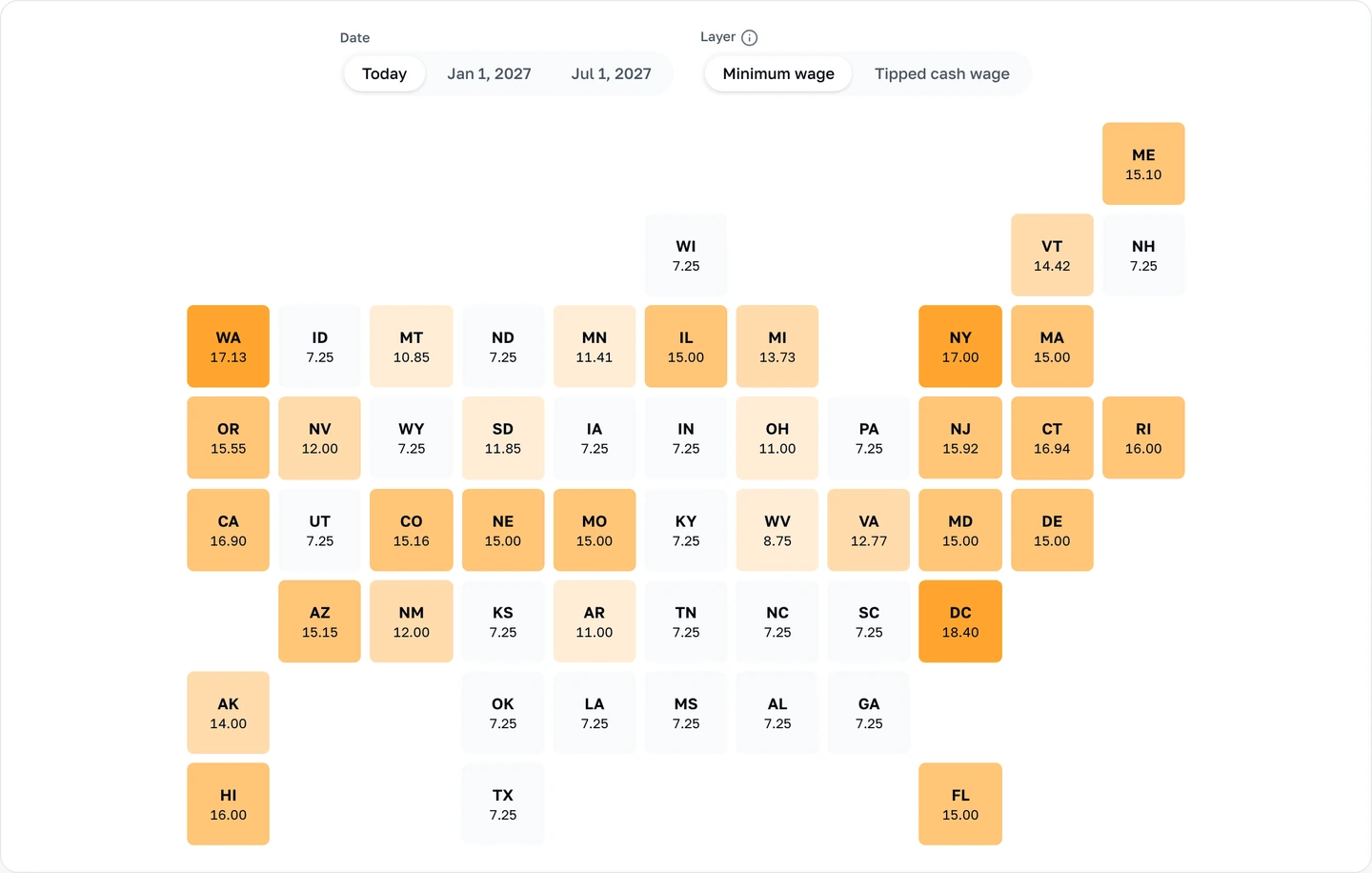
- New tools. A job description generator, a pay stub generator, a staff schedule maker and a minimum wage map with city and county rates.
We also reworked the onboarding tools we already had, from offer letters and handbooks to checklists and 30-60-90 day plans.
Every tax rate, wage base, minimum wage and legal limit in them comes from its official source and was checked twice before it went in. Every calculator shows its math, a field that needs a rule explained has an info icon next to it, and most tools download as a PDF, Excel or CSV file. They're free, need no sign-up and work on a phone. You'll find them all on our Calculators and Tools pages.
New in FirstHR
Inside the app, we focused on seeing where things stand at a glance and on getting your data in and out.
Dashboards and analytics
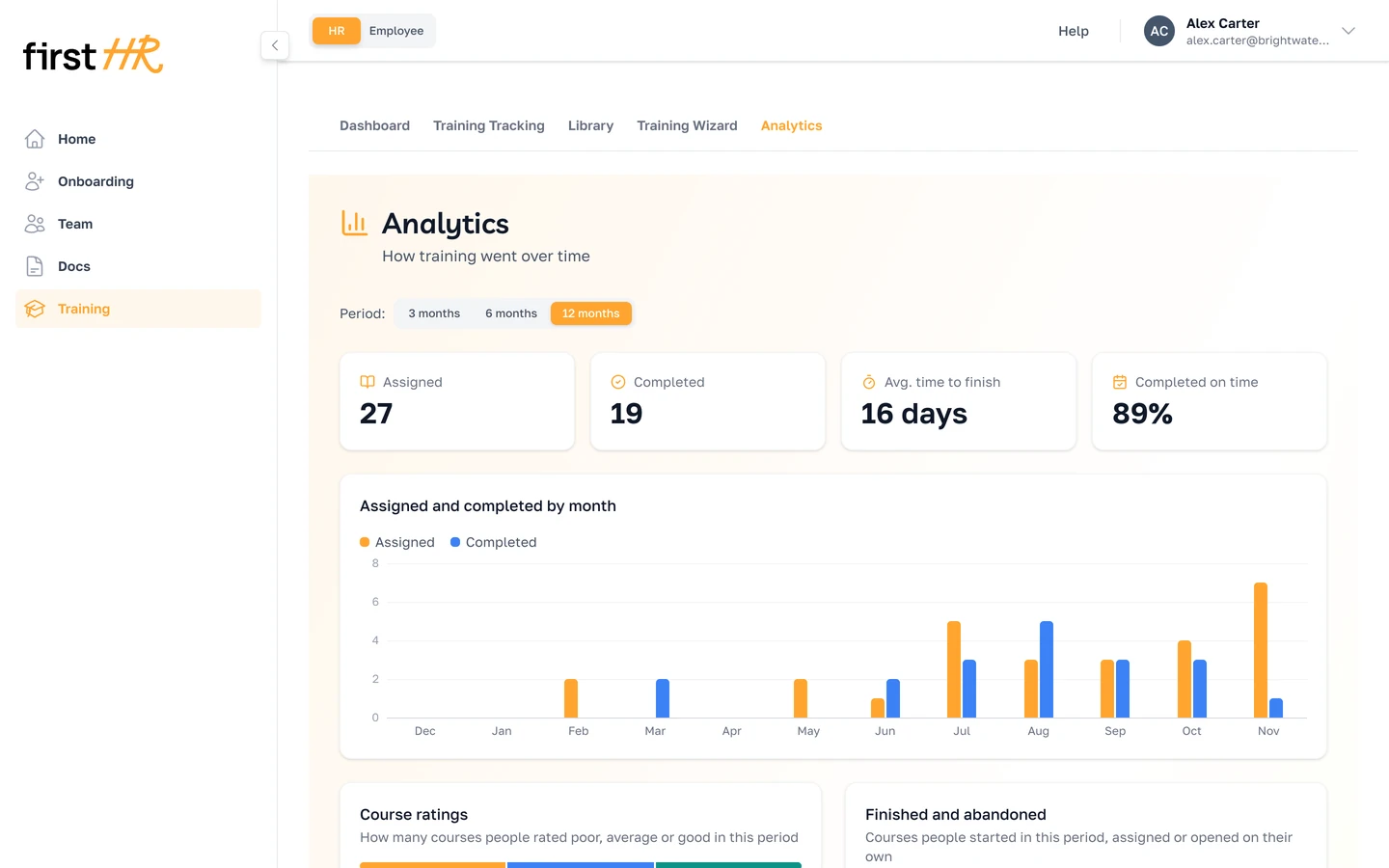
Team, Onboarding, Training and Docs now open on a Dashboard: where things stand today and what needs your attention. Analytics, next to it, shows the trends over 3, 6 or 12 months. Both are for the Main Admin and HR.
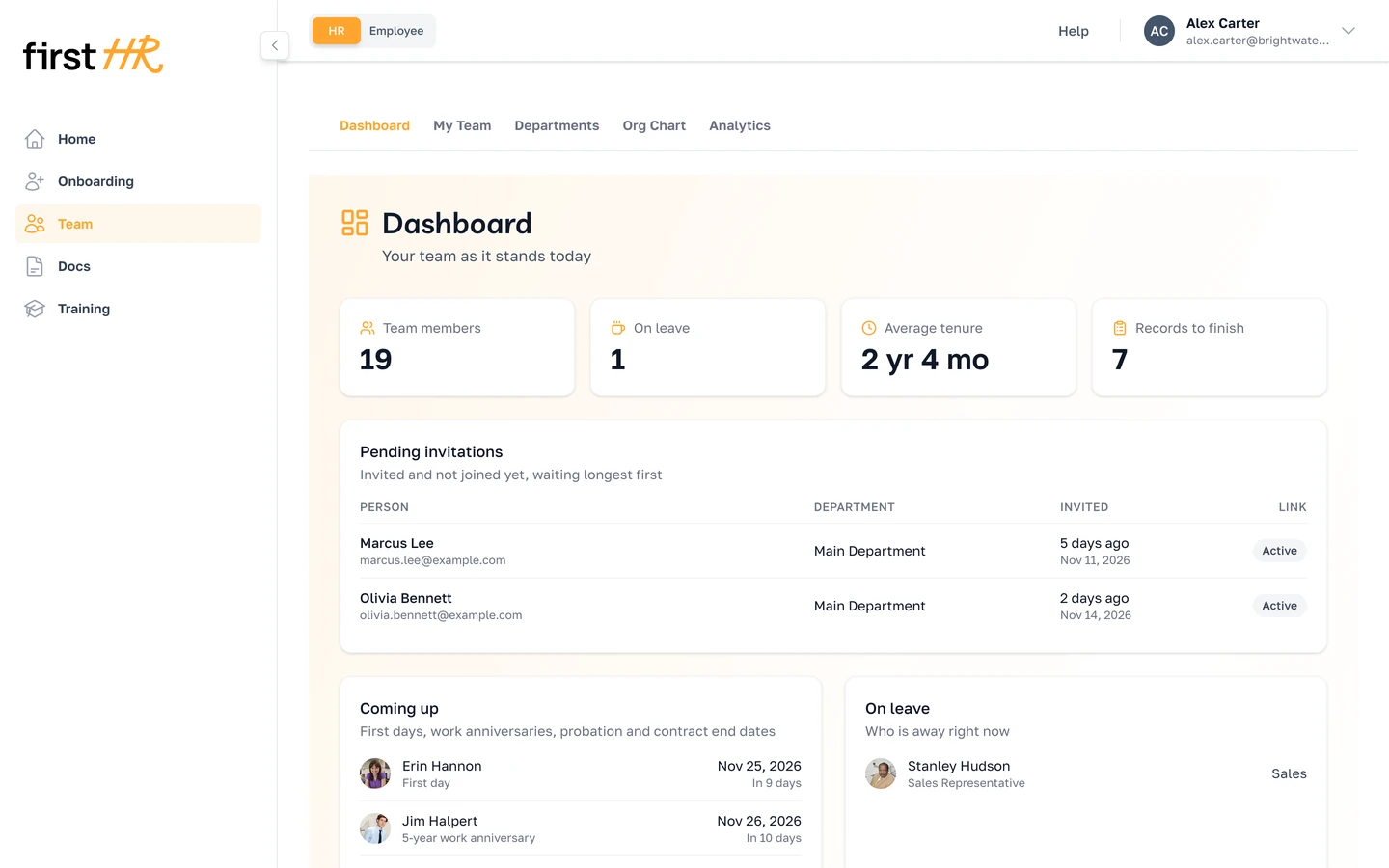
- Team. Records that are missing something, and exactly what: a hire date, FLSA status, Form I-9 and more. Invitations not accepted yet, and what's coming up: first days, anniversaries, the end of probation or a contract. Analytics shows who joined and who left each month, and your turnover.
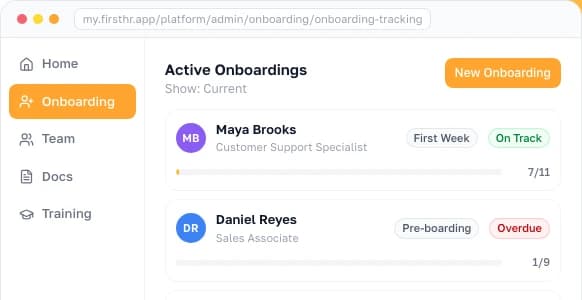
- Onboarding. Every running onboarding, the ones falling behind first, new hires without an onboarding, and items overdue or due soon. Analytics shows how long onboarding takes, how often it finishes on time and which templates you use.
- Training. Open assignments, overdue courses, people with no courses yet and the latest reviews. Analytics shows courses completed against dropped, their ratings and the ones people drop most.
- Docs. Documents waiting for a signature, signatures past their deadline, and documents that have expired or soon will. Analytics shows how long signing takes and what HR uploaded against what employees added.
Export to Excel and CSV
Every list in FirstHR, for admins and employees alike, downloads as an Excel or CSV file that matches the screen, filters included. So does every record: an employee's profile, a department, an onboarding, a course, a document or a template. Where a record holds several files, such as an employee's profile, an onboarding or a course, a ZIP brings them all along. The My Team export holds each person's personal and employment details, plus a sheet of emergency contacts.

Import your team from a file
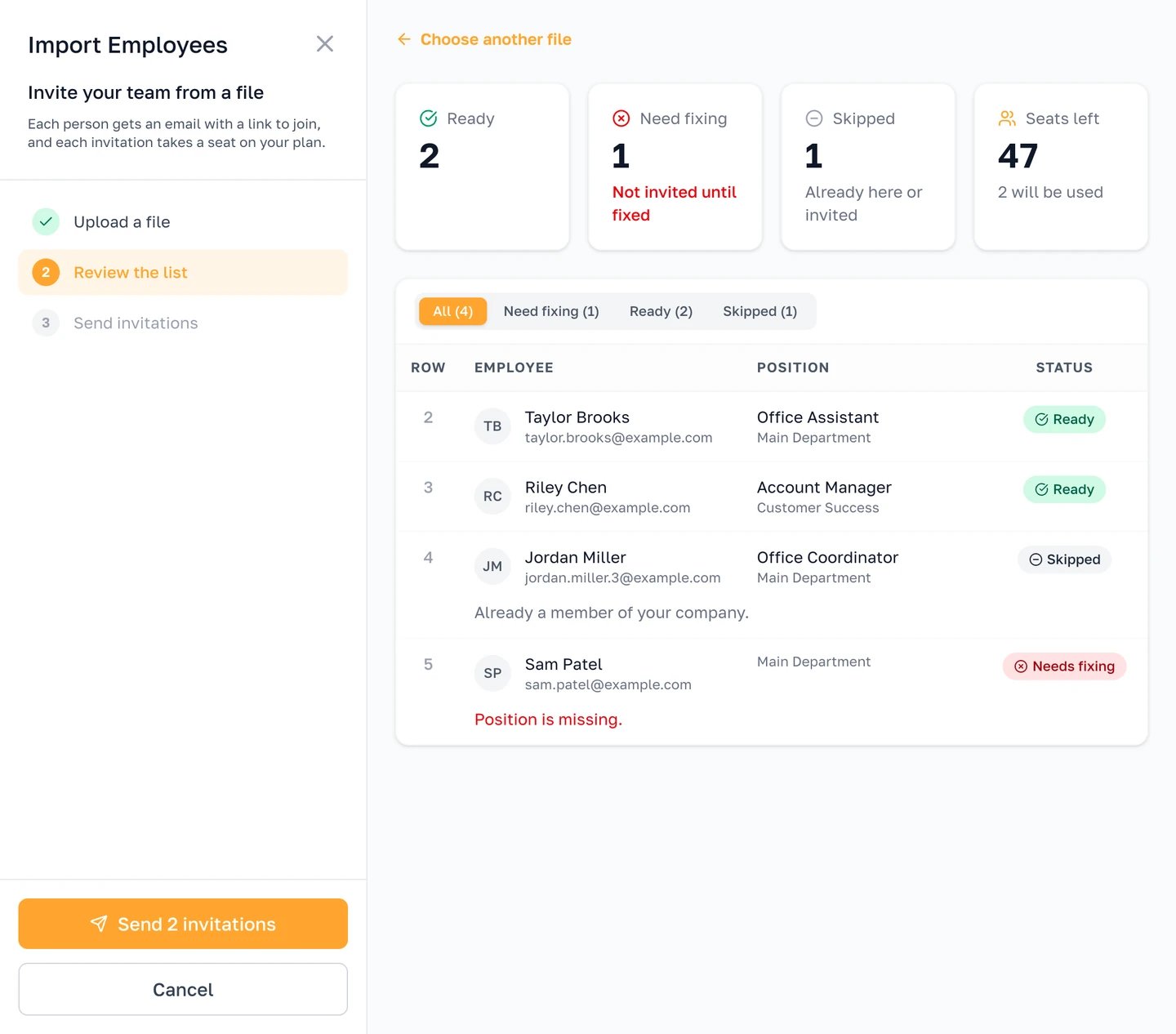
In My Team, Add Employee now has Import from file. Download the template, add one row per person and choose the file. Before anything goes out, you see which rows are ready and what to fix in the rest. One button sends all the invitations, and departments you don't have yet are created for you.
Employees add their own documents
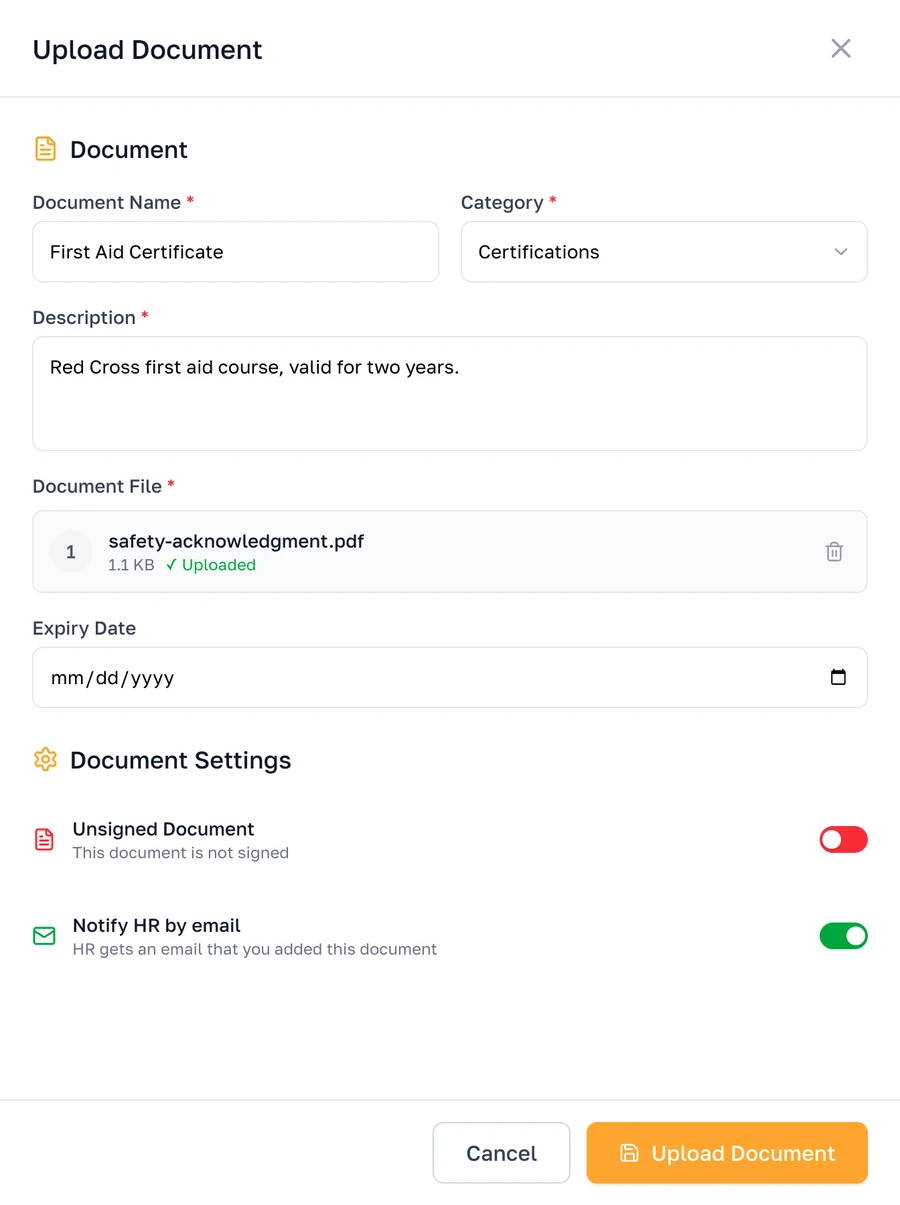
In My Docs, employees can now upload their own certificates, licenses and other documents, edit or delete the ones they added, and let HR know by email. HR sees who uploaded each document.
Change an onboarding that's already running
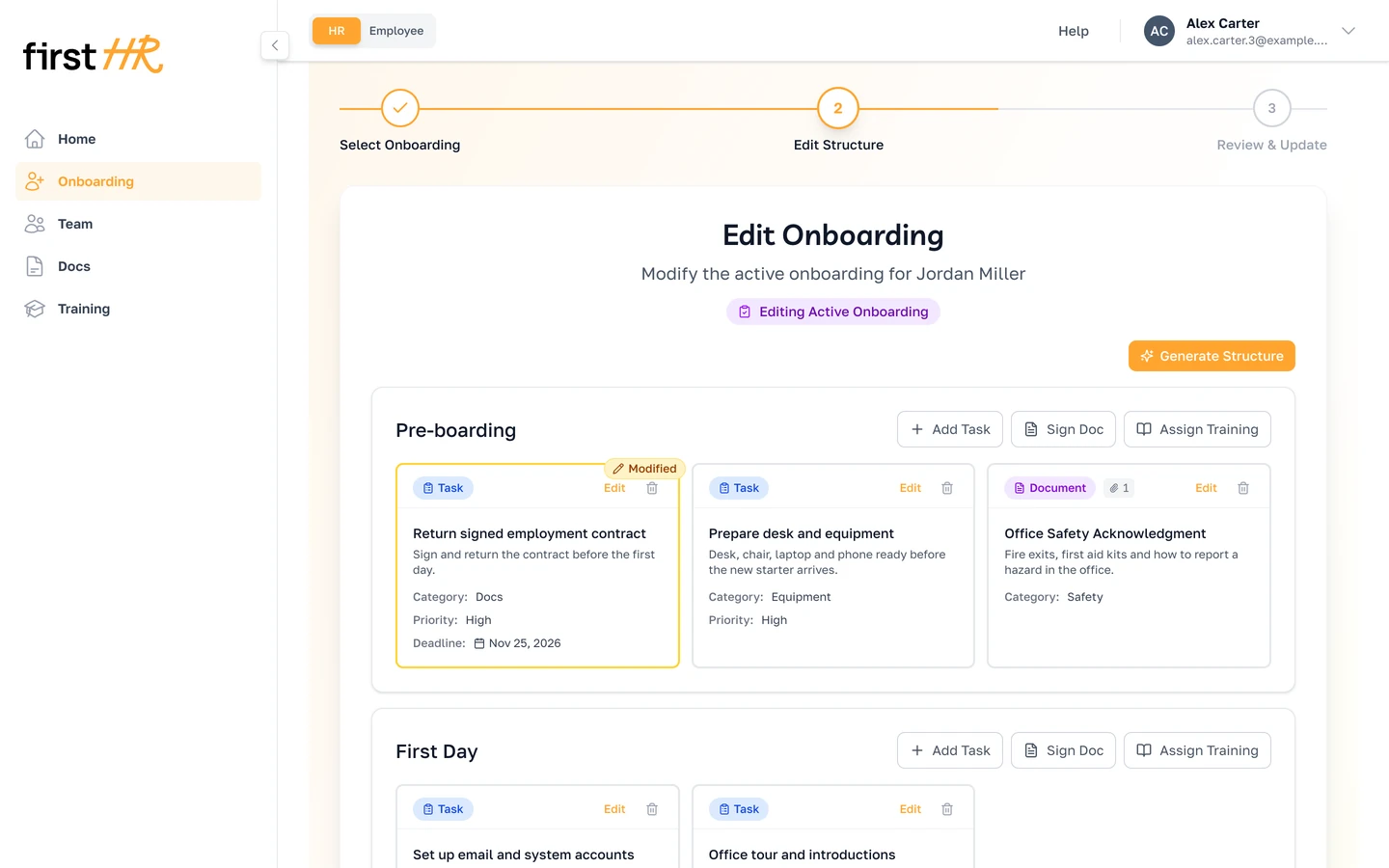
In the wizard, you can now change the tasks, documents and course deadlines of an onboarding that has already started. A course deadline can also be moved from Training Tracking.