
A clean exit for everyone who leaves
Hand over the work, collect signatures, remove app access, get equipment back and set the termination for the last day.
- No one leaves with app access or company equipment
- AI checks the plan against your state's rules
- Schedule the termination, and FirstHR carries it out

Offboarding in three short videos
Offboarding wizard in 1:46:
- Tasks, documents, courses and 1-to-1s by stage; apps and equipment added on their own
- AI suggestions for each stage, and an optional Compliance Review
- Each app they use gets its own removal task, so none is forgotten
- An optional termination at the date and time you set
- One launch creates everything and sends them one email
Someone gave notice. Now what?
The handover, the logins and the laptop live in a chat and an old checklist, and something always slips.


Build the plan once, start it, see it through
Offboarding in FirstHR has three parts: the wizard, tracking and templates. Each one has its own page.


From notice to a running plan
Three steps in the wizard and an optional termination time. Nothing reaches the person until you launch.

Apps and equipment add themselves
Every app they can still use and everything they hold lands in Last Day, and you get a task for each app to remove.
 Toby Flenderson
What the person leaving sees
One phase at a time on their Home, a button for each thing they still have to do, and who to ask.

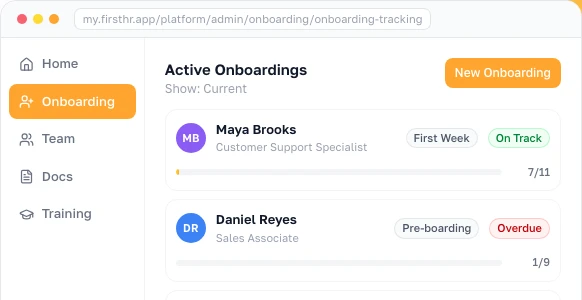
Every exit on one screen
Each person's stage, items done out of total and whether anything is late, as a list or by stage.


Termination at the time you set
FirstHR terminates them then, the same way as Terminate in My Team, as soon as their apps and equipment are cleared.
AI checks the exit against the law
It suggests steps for each phase, and duties like the final paycheck and COBRA come back as reminders for HR.

Who gets an email, and when
FirstHR sends these on its own, and anything late shows in tracking.
 Jim HalpertThe person leaving
 Toby FlendersonLaunched the offboarding
Free help for offboarding
An offboarding checklist and template, exit interview questions and a template, offboarding emails and an IT offboarding checklist, from our library. Free, and no sign-up needed.
Reviews
"Solid app with a ton of features that cover all HR needs. I'm impressed by how well the app is organized and how easy it is to navigate."
 Iskandar ChacraHead of Engineering, Ultraspeaking
"FirstHR centralises every HR process, from hiring to firing, in a sleek and user-friendly interface. Especially noteworthy is its modern design."
 Daniel RödlerCo-founder, Octomind
"There are many HR tools out there but firstHR manages to combine lots of features into one package very well and all with an affordable price tag."
 Johnberg ArslanCo-founder, AppManager
FirstHR in the press





A free trial with no strings attached
When the 7 days are up, the trial simply stops. There's no card on file, so nothing renews and there's nothing to cancel.
- Sign-up in a couple of minutes
- Every feature from day one, like the paid plans
- No credit card
- Support from real people, like the paid plans
Offboarding questions
Works together with
Offboarding mirrors onboarding, and tracks the apps and equipment a person holds until they're cleared.
Where it starts and ends


Plan every exit in one place
Build the plan once, start it when someone gives notice, and see what's still with them. Sign-up takes a couple of minutes.
- 7-day free trial
- No credit card required
- Nothing to cancel