Cleaning Company Scheduling Software: 10 Tools Compared
Cleaning company scheduling software compared: client and job booking versus staff shift scheduling, real cost at 8 cleaners, and honest free plan limits.

If a cleaning business owner asked me which cleaning company scheduling software to buy, I would ask which calendar is broken. Two products share that name, one for your customers and one for your cleaners, and the wrong pick fixes nothing. This page sorts ten platforms by the problem they solve and prices them at a concrete eight cleaners.
Jobber, Housecall Pro, ZenMaid, and Launch27 are field service platforms: a customer books, the job lands on a calendar at an address, a crew is dispatched, an invoice follows. Connecteam, Homebase, When I Work, Deputy, and Swept are workforce platforms: your cleaners appear on a shift roster, clock in, and their hours feed payroll. Almost none of them does the other job properly, and almost no comparison article says so.
Whether you need scheduling software for cleaning business owners or a scheduling app for cleaning business crews, the same split applies, because each kind fixes only its own calendar. You will also see the free tiers with their real caps, and the part of a cleaning business the whole category ignores: getting each new cleaner documented and trained.
Two kinds of scheduling in a cleaning business
A cleaning business runs two schedules: customers and the work at their addresses, and cleaners and their shifts. Each has its own kind of software with its own price structure, so settle which one is failing before you compare products.
| Client and job scheduling | Staff scheduling and time clock | |
|---|---|---|
| What it schedules | Customers and the work at their address | Your cleaners and their shifts |
| Core question answered | Who is cleaning which property when | Who is working which hours |
| Typical features | Online booking, recurring visits, dispatch, quotes, invoices | Shift roster, time clock, GPS check-in, tasks, messaging |
| Money it touches | Revenue: it bills your customer | Cost: it feeds payroll |
| Examples | Jobber, Housecall Pro, ZenMaid, Launch27, ServiceM8 | Connecteam, Homebase, When I Work, Deputy, Swept |
| Typical price at 8 cleaners | $75 to $329 per month | $20 to $58 per month |
The price gap in the last row reflects scope, not a discount. Job scheduling platforms carry booking, quoting, invoicing, and payment processing, a larger product than shift rostering plus a time clock. Set a $30 staff tool against a $286 field service platform and the first looks like better value, but you are comparing two different purchases.
The platforms compared
Read the booking and staff shift columns together. No product in the table ticks both, a pattern most guides to the best scheduling software for cleaning business owners hide by mixing the products into one ranked list. The best scheduling app for cleaning business use depends entirely on which of the two columns describes your problem.
| Platform | Best For | Entry Price | Client and Job Booking | Staff Shifts and Time Clock | Quotes and Invoicing | Takes Payment | Trial |
|---|---|---|---|---|---|---|---|
| Jobber | Cleaning plus other trades | $29/mo | 14 days | ||||
| Housecall Pro | Maid services wanting marketing | $59/mo | 14 days | ||||
| ZenMaid | Residential maid services only | $19 + per person | 14 days | ||||
| Launch27 | Online booking for residential | $64/mo | 14 days | ||||
| ServiceM8 | Solo operators on iPhone or Android | Free to $29 | Free tier | ||||
| Swept | Commercial janitorial, multi-site | $24/mo | Demo | ||||
| Connecteam | Crews wanting a free starting tier | Free to $29 | Free plan | ||||
| Homebase | Single-site crews on a flat location price | Free to $24 | Free plan | ||||
| When I Work | Cheapest per-cleaner shift roster | $2.50/user | 14 days | ||||
| Deputy | Crews needing wage and hour rules | $5 to $9/user | 31 days |
Best client and job scheduling software
These handle the customer side. If your problem is bookings, recurring visits, and getting invoices out, this is the category.
Jobber
Jobber is the strongest general field service platform here, and the right pick if you offer more than regular cleaning, such as pressure washing or post-construction work. Core costs $29 a month billed annually, or $49 with no commitment, and covers online booking, scheduling, quotes, invoicing, and the client hub.
Connect adds GPS and time tracking, while two-way texting and job costing start on the Grow plan. There is a 14-day trial with no card required.
The trap is the user cap. Core is sold for one user, so the moment you add a helper you move to Connect or above, which Jobber prices by team size: Connect for up to five users is $149 a month billed annually, or $199 with no commitment. Each user beyond a plan cap costs $29 a month.
ZenMaid
ZenMaid is built specifically for residential maid services rather than adapted from general field service, and it shows in the details: recurring appointments, job notes and photos in the cleaner app, one-tap time tracking, and automated reminders to clients and cleaners.
ZenMaid prices per person. Starter costs $19 a month plus $4 for each cleaner or office manager, which is $51 at eight people, but it stops at 40 appointments a month. Pro removes the cap at $39 plus $14 per person, or $151 at eight. There is no free plan, only a 14-day trial.
Two caveats. It is residential only, so commercial accounts need a workaround or a second platform. And the per-person charge climbs with every hire, so price the plan against the crew you expect to have in a year.
Housecall Pro, Launch27, and ServiceM8
Three more job scheduling options make distinct cases. Housecall Pro starts at $59 per month billed annually for a single user, covering online booking, scheduling, dispatch, invoicing, and payment processing. Essentials, at $149, covers five users, and Max includes eight at $299, with extra users at $35 each. Its marketing automation is stronger than Jobber's.
Launch27 is booking-focused for residential cleaning from $75 per month, or $765 a year on annual billing, with unlimited users on every plan. ServiceM8 is unusual in offering a genuine free tier for one user and 30 jobs a month, with Starter at $29 for unlimited users and 50 jobs, and it runs on both iPhone and Android.


Best staff scheduling and time clock software
These handle the crew side: who works when, whether they arrived, and how many hours go to payroll. This is the cleaning services staff scheduling software half of the market, and if you are scheduling cleaning services, software from this half tells you who is working rather than which customer is booked.
Swept
Swept is the only genuinely janitorial-specific option here, built for commercial cleaning rather than adapted from general shift work. It is not built for invoicing, so it sits alongside your accounting rather than replacing it. Pricing scales by location rather than by cleaner, and annual billing takes 20 percent off.
Launch is $30 per month covering up to 15 locations with unlimited users. Optimize, at $150, adds location-based messaging, geofenced clock-in, and inspections. Scale, at $225, adds checklists, a client portal with client messaging, profitability reporting, and supply requests.
Two features stand out for commercial work. First, Swept translates instructions and messages into over 100 languages, and the cleaner app runs in English, Spanish, and Portuguese, which matters for a multilingual crew. Second, its inspection tooling produces quality records you can share with the client, which general schedulers have no concept of.
Connecteam
Connecteam has the most generous free tier in this comparison: a Small Business plan covering up to 10 users with full access to all hubs, permanently rather than as a trial. The paid Basic tier of the Operations hub is $29 per month billed annually, or $35 monthly, flat for the first 30 users, with a small per-user charge beyond that.
Basic covers scheduling, a GPS time clock, forms, and tasks. Chat and training courses sit in the separate Communications and HR & Skills hubs, each priced the same way, so the full stack costs more than one hub. Geofenced clock-in and repeating shift templates start on the $49 Advanced tier rather than Basic.
Homebase, When I Work, and Deputy
Homebase, When I Work, and Deputy are three general shift platforms that cleaning crews commonly land on. Homebase is the per-location play: Basic is free for one location up to 10 employees with basic time tracking, and Essentials is $24 per month billed annually, or $30 monthly, with unlimited cleaners.
On annual billing, Homebase Essentials ties with Swept Launch as the cheapest paid option once your crew passes ten. When I Work is the per-user price play at $2.50, and its plan cards sell time tracking as an option that lifts the rate to $4 per user, although its FAQ says every plan includes it.
Deputy is the compliance play: $5 to $9 per user on annual billing, a $30 minimum spend on monthly plans, and the strongest break and overtime rule handling of the three.
Time tracking apps for cleaning companies
A time tracking app for a cleaning company has to answer something a roster cannot: was the cleaner at the property, and for how long. All five staff tools here run a mobile clock, so the choice comes down to what sits around it.
Location checks are the first difference. Connecteam includes a GPS time clock on its entry paid tier. Homebase puts a basic clock on its free plan but keeps location-based mobile clock-in for Essentials. Swept keeps geofencing for Optimize at $150 rather than the $30 Launch tier.
Cost and pay rules set the other two apart. When I Work's plan cards charge $4 per user with time tracking, though its FAQ calls it included. Deputy is the one that applies break and overtime rules before the hours reach payroll.
What it actually costs at 8 cleaners
At eight cleaners on month-to-month rates, staff scheduling costs $20 to $58 a month and job scheduling $75 to $329. Entry prices mislead in this category because the two product types price on different axes, so the table below models a concrete eight-cleaner business on a single location.
| Platform | Monthly at 8 cleaners | Annual | Type | How the number is built |
|---|---|---|---|---|
| Connecteam Basic | $35 | $348 | Staff | Flat to 30 users on one hub; $29 a month billed annually |
| Homebase Essentials | $30 | $288 | Staff | Per location, unlimited cleaners; $24 a month billed annually |
| Swept Launch | $30 | $288 | Staff | Up to 15 locations, unlimited users; $24 a month billed annually |
| When I Work | $20 | $240 | Staff | Per user at $2.50; plan cards charge $4 with time tracking, though the FAQ says it is included |
| Deputy Core | $58 | $624 | Staff | Per user at $7.25 monthly or $6.50 billed annually |
| Launch27 Base | $75 | $765 | Job | Unlimited users; cleaner mobile app only on the $299 Plus plan |
| ZenMaid Pro | $151 | $1,812 | Job | $39 base plus $14 per person; Starter caps at 40 appointments |
| Jobber Connect | $286 | $2,748 | Job | 5-user tier at $199 plus three users at $29; on annual billing the 10-user tier at $229 is cheaper |
| Housecall Pro Max | $329 | $3,588 | Job | Includes 8 users; $299 a month billed annually |
Three things follow. First, staff scheduling is consistently cheaper because it is a smaller product, so a $30 tool beating a $286 one on price is not a fair fight. Second, per-location pricing wins as the crew grows, which is why Homebase Essentials at $30 a month covers eight cleaners for the same price as twenty.
Third, a base plan that covers one user, as both Jobber Core and Housecall Pro Basic do, is not really an entry price for anyone with a crew.
Free plans and their honest limits
A free cleaning company scheduling app matters most to the smallest operators, and three platforms here offer one: Connecteam, Homebase, and ServiceM8. Whether you think of it as a cleaning business scheduling app or a full platform, the free tier is where most owners start.
| Platform | Free offering | The cap that bites |
|---|---|---|
| Connecteam | Small Business plan, all hubs | 10 users |
| Homebase | Basic, includes basic time tracking | One location, 10 employees |
| ServiceM8 | Free tier with job management | One user, 30 jobs per month |
| ZenMaid | None, 14-day trial only | Not applicable |
| Jobber | None, 14-day trial only | Not applicable |
| Housecall Pro | None, 14-day trial only | Not applicable |
| Swept | None, demo only | Not applicable |
For a solo cleaner or a two-person operation, the free tiers here are genuinely usable rather than demos in disguise, and Connecteam at 10 users covers a real crew. If you specifically want a free scheduling app for cleaning business use, ServiceM8 on the job side and Connecteam or Homebase on the staff side are the genuine options.
The cap that bites first is ServiceM8's job limit rather than any user limit: at 30 jobs a month it is roughly one and a half jobs a working day, which a growing cleaning business passes quickly. A free cleaning scheduling app works until that volume arrives. Vendors adjust these limits periodically, so confirm on the pricing page rather than from any comparison article.
Residential maid service versus commercial janitorial
Residential maid services and commercial janitorial companies are different businesses that buy different software, and the distinction sorts the list further.
| Residential maid service | Commercial janitorial | |
|---|---|---|
| Job shape | Many short visits to private homes | Fewer large accounts under contract |
| Timing | Daytime, recurring weekly or biweekly | Mostly evenings and overnight |
| What clients expect | Consistency and trust in the home | Quality inspections and reporting |
| Distinctive needs | Per-room notes, key management, tips | Multi-site supervision, inspections, supplies |
| Tools built for it | ZenMaid, Launch27, Housecall Pro | Swept, Janitorial Manager |
House cleaning work sorts the job scheduling list quickly. ZenMaid and Launch27 are built for recurring home visits, Housecall Pro suits a maid service that wants marketing alongside the calendar, and ServiceM8 covers a solo cleaner under 30 jobs a month. Jobber fits when the same crew also does pressure washing.
A residential tool run on commercial accounts tends to lack inspection records and multi-site supervision; a commercial tool run on residential work carries overhead you will not use. Jobber and Connecteam sit in the middle and work acceptably for both, which is a fair reason to pick them if you run a mixed book.

 Dwight SchruteSales3 people
 Darryl PhilbinWarehouse1 person
 Kelly KapoorCustomer Service1 person
The piece these tools miss
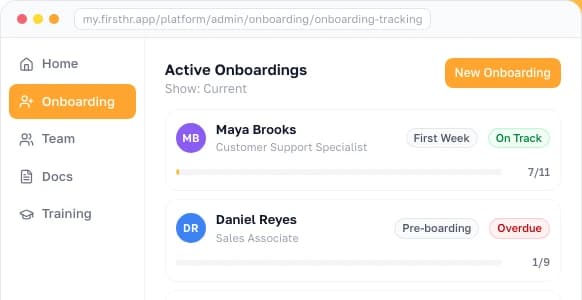
Every platform on this page assumes the cleaner is already hired, documented, and trained. In cleaning that assumption carries extra weight, because the hiring cycle never stops.
The Bureau of Labor Statistics (BLS) does not publish a turnover rate for cleaning companies alone, so the table below uses the two closest federal series: separations from the Job Openings and Labor Turnover Survey (JOLTS) for the sector that includes janitorial contractors, and the Occupational Outlook Handbook for janitors and building cleaners.
| Measure | Reported figure | Source |
|---|---|---|
| Separations, professional and business services (includes janitorial contractors) | About 55 percent of employment a year (4.6 percent a month) | BLS JOLTS, 2025 annual average |
| Separations, all private employers, for comparison | About 43 percent a year (3.6 percent a month) | BLS JOLTS, 2025 annual average |
| Projected openings each year, janitors and building cleaners | About 321,800, mostly replacing workers who leave the occupation | BLS Occupational Outlook Handbook, 2025 to 2035 |
| Janitor and building cleaner jobs | About 2.4 million | BLS Occupational Outlook Handbook, 2025 |
Both series point the same way. A cleaning company replaces a large share of its workforce every year, and each replacement means an I-9, a W-4, an offer and handbook acknowledgment, and safety and procedure training before that person can be put on a schedule at all.
Two of those steps run on federal rules. Form I-9 records that a new hire may work in the US, and guidance from U.S. Citizenship and Immigration Services (USCIS) requires its employer section within three business days of the start date. IRS Publication 15 tells employers to ask each new employee to complete Form W-4, which sets federal income tax withholding.
How to build your stack
Build your stack in the order the problems arrive. The five questions below settle which tool comes first, what it will really cost, and who handles the work before the schedule starts.

Frequently Asked Questions
What is cleaning company scheduling software?
Two different products share the name. Client and job scheduling handles online booking, recurring visits, dispatch, quoting, and invoicing, as Jobber, Housecall Pro, ZenMaid, and Launch27 do. Staff scheduling handles shift rosters, time clocks, and hours for payroll, as Connecteam, Homebase, When I Work, Deputy, and Swept do.
Do I need job scheduling or staff scheduling software?
Start with what breaks. Missed recurring cleans, retyped bookings, and late invoicing are job scheduling problems. Not knowing who covers a shift, paper timesheets, and no proof of arrival are staff scheduling problems. Many established cleaning businesses eventually run one of each, added in the order the pain arrives.
How much does cleaning business scheduling software cost?
At eight cleaners on month-to-month rates, staff scheduling costs about $20 to $58: When I Work about $20, or $32 with its time tracking toggle, Homebase Essentials and Swept Launch $30, Connecteam Basic $35, Deputy Core about $58.
Job scheduling costs $75 to $329 at the same crew size: Launch27 Base $75 with unlimited users, ZenMaid Pro about $151, Jobber Connect $286 on its five-user tier with three added users, and Housecall Pro Max $329 with eight users included.
Is there free scheduling software for a cleaning business?
Yes. Connecteam is free for up to 10 users with all hubs, Homebase Basic is free for one location up to 10 employees with a basic time clock, and ServiceM8 is free for one user and 30 jobs a month. ZenMaid, like Jobber and Housecall Pro, offers only a 14-day trial. ServiceM8's job limit usually bites before the user limits do.
What is the difference between Jobber and Connecteam for a cleaning business?
They solve opposite halves and are not substitutes. Jobber is field service management running from customer request through quote, scheduled job, dispatch, and invoice. Connecteam is workforce management running shift rosters, clock-ins, tasks, and hours into payroll. A crew of eight with a full recurring book often needs both.
Does cleaning scheduling software track cleaner hours and GPS?
The staff scheduling tools do. Connecteam, Homebase, When I Work, Deputy, and Swept all offer mobile time clocks and most support GPS verification so a cleaner clocks in at the property. Swept adds location-based tracking, inspections, translation into over 100 languages, and a cleaner app that runs in Spanish.
What is the difference between residential and commercial cleaning software?
Residential maid services run many short recurring home visits with notes about each home, which ZenMaid and Launch27 target. Commercial janitorial runs fewer large contracted accounts, mostly overnight, with quality inspections and multi-site supervision, which Swept targets. ZenMaid in particular is residential only.
Does scheduling software handle hiring and onboarding cleaners?
Essentially no. These platforms begin once a cleaner is hired and trained. Collecting an I-9 and W-4, signing offers and handbook acknowledgments, and delivering safety training sit outside them. That matters here because annual turnover runs high: federal JOLTS data put yearly separations at about 55 percent of employment in the sector that includes janitorial contractors.
What should a small cleaning business buy first?
Under about five cleaners with phone bookings, a free staff scheduling tier plus a shared calendar is often enough, and buying field service management before you have booking volume is the most common overspend. Add job scheduling when recurring customers outgrow your memory, and staff scheduling when the crew outgrows your ability to track it.
Make HR the easy part of running your business
Onboarding, e-signatures, training and core HR in one place. Up and running in 5 minutes.
- 7-day free trial
- No credit card required
- Cancel anytime