
Free Job Description Template for Small Business
Six free job description templates: standard, blank form, small business, duties worksheet, posting-ready with pay range, and a filled-in example. DOCX.

Most job description templates hand you a blank form with the word Responsibilities at the top. I run a small company and build HR software for other small businesses, and what I would tell any owner is that the form is not the hard part.
This page is built around the hard part: which duties count as essential and which do not, whether the pay range has to go in the posting, and how to write the thing at all. That last one is hardest when you are the owner, the hiring manager, and the trainer, describing a role you have been doing yourself for a year.
There are six templates here rather than one, ranging from a blank one-page form to a fully filled-in example. Each downloads as an editable Word document, free, with no email form. There is also a version written specifically for a business with no HR department, which adds the three sections the large template libraries rarely include: what the week actually looks like, what success is at 90 days, and what this job is not.
- Sign the offer letter
- Sign the employee handbook
- Workplace Safety course
What a Job Description Template Is
A job description is the internal document that defines a role: what it is accountable for, which duties are core to it, what someone needs to do it, and how it is classified and paid. A template is the reusable structure that supplies those sections so you fill in specifics rather than re-deciding the shape for every hire.
Who the document is for decides how you write it. A job description is written for the file, the manager, and the person doing the work. A posting is written for a candidate deciding whether to apply. Same facts, different job, different length.
What Every Job Description Includes
Every job description includes eight elements, and they sort into four groups: the header block, the work itself, the bar a candidate has to clear, and the legal layer. The first three groups are what every template covers. The fourth is what separates a document you can rely on from a list of verbs.
Two things get skipped more than anything else, and both cause the same kind of trouble later. The essential and marginal split is what makes the description usable when someone asks for an accommodation or when you are deciding whether a candidate is qualified. And the review date is what tells the next reader whether they are looking at the current job or the one it used to be.
Which Template Should You Use?
Take the standard version for a general role, the blank form if you want to write it by hand with the person doing the job, and the filled-in example if you would rather adapt than start from nothing.
6 Free Job Description Templates
Download all six together or copy an individual template. Each is an editable Word document with no email form. Fill in the brackets, delete what does not apply, and change anything that does not match how the job really works.
If you need the finished sample as a PDF rather than a Word file, fill in the brackets, then open File, choose Save As, and pick PDF as the format. Send the PDF to candidates and keep the editable version, because the description gets revised more often than anyone expects.
Template 1: Standard Job Description
The complete internal document. Header block with classification and pay range, position summary, essential and marginal functions kept separate, qualifications, physical requirements, EEO statement with an accommodation contact, and a signature line.
Template 2: Blank Job Description Form
One page of ruled lines and numbered slots, with nothing to delete. For writing it by hand alongside the person who does the job, or handing to a manager who will actually finish it.


Template 3: Small-Business Version, No HR Department
For a business where the owner writes the posting and trains the hire personally. Adds what the week actually looks like, what success is at 90 days, and a plainly worded section on what this job is not.
Template 4: Job Duties and Responsibilities Worksheet
Six steps for listing every task, testing which are essential, grouping them into areas, and recording decision rights. Use it before writing the description, or when splitting one overloaded role in two.
Template 5: Posting-Ready Version with Pay Range
The candidate-facing version, written to be published. Pay range at the top, duties and requirements in plain language, a real application timeline, and an accommodation contact.
Template 6: Filled-In Example, Office Manager
A complete sample for a nine-person practice with time percentages, a real pay range, and specific duties. Useful as a calibration check for how concrete your own version should be.
How to Write One
Writing one comes down to the four steps below, and the template already handles the structure. There is one failure mode, and it is always the same one: describing the role as you imagine it rather than as it is performed.
The first step is the one worth insisting on. The person currently doing the work has a mental list of tasks that never appear in any description, usually because they seem too small to mention, and those are exactly the tasks a new hire will be blindsided by in week two. Twenty minutes of asking beats an hour of drafting.
On style, three rules cover most of it. Start each duty with a verb. Keep one duty per line, so anything containing "and" is probably two duties. And write the qualifications for the person you would actually hire, not the person you would dream about, since every extra requirement narrows the pool without improving it.
What Separates the Good Job Description Examples from the Rest
A good example is specific enough that only one job could have produced it. The filled-in office manager sample above works because it puts a number on everything it can: three providers, a nine-person practice, a rate of $24.00 to $30.00 per hour. Weak versions describe a category of job. Strong ones describe this one.
| The line most descriptions use | What it should say instead | Why the second one works |
|---|---|---|
| Performs administrative duties as assigned | Manages the daily schedule for three providers, filling cancellations and confirming the next day | Names the work, the volume, and the outcome the person owns |
| Must be a team player with strong communication skills | Explains what a patient owes at check-in and follows up on denied claims by phone | Turns a personality trait into something you could observe on a Tuesday |
| Fast-paced environment | Two busy stretches: the first hour after opening and the hour after lunch | Tells a candidate what the day feels like instead of hinting at it |
| Other duties as required | Coordinates the quarterly staff lunch and the annual card mailing, listed under marginal functions | Puts the leftover work on the page and labels it honestly |
| Salary commensurate with experience | $24.00 to $30.00 per hour, based on practice-management experience | Is what several states now require in the posting, and what candidates check before applying |
Run one test before you publish. Cover the job title and hand the description to someone who works somewhere else. If they cannot name the role from the duties alone, it is still describing a category rather than a job, and the fix is almost always a number: how many, how often, how much.
For a sample already written at that level, the office manager description and the other role pages below each carry a filled duty list you can adapt rather than a blank form to stare at.
Pay Range, ADA, and Posting Rules
Three US rules shape how a job description should be written and published: pay range disclosure, disability law under the Americans with Disabilities Act (ADA), and overtime classification, which gets its own section below. All three are easy to get wrong, and all three are handled by the templates above.
Pay range disclosure is the first. More than a dozen states plus the District of Columbia now regulate pay disclosure in some form. Sources differ on the exact count because the laws differ in what they actually require: some want a range in every posting, others only on request or once a candidate has interviewed.
The employer-size thresholds vary enormously, which is the part small businesses get caught by.
| State | Who is covered | What the posting must include |
|---|---|---|
| California | 15 or more employees, at least one in California | The pay scale in the posting itself, not behind a link or QR code |
| Colorado | Any employer with at least one employee in the state | Compensation range, a general description of benefits, and how and when to apply |
| New York | Four or more employees | Compensation range and the job description, if one exists |
| Elsewhere | Anywhere from every employer to 50 or more employees in Hawaii; most states have no posting rule at all | Check the state where the work will be performed before publishing |
Disability law is the second. Federal disability requirements apply to employers with 15 or more employees, and the essential functions section is where the job description does its legal work. List physical requirements only when the role genuinely involves them. A lifting requirement copied from a generic template, then used to screen someone out, is a problem you invented.
Where you publish also matters, since job boards apply their own formatting and content requirements on top of the law.
The Title Does Not Decide Overtime
Writing "manager" in the job title does not make someone exempt from overtime. The Department of Labor states plainly that job titles do not determine exempt status, and that whether an exemption applies depends on the employee's specific duties and salary meeting the tests in the regulations.
The practical risk for a small business is subtler than misclassifying outright. It is writing supervisory duties into a description because they sound impressive, when the person spends the day doing the same work as everyone else. That creates a written record contradicting what actually happened, which is worse than having written nothing. Classify from the real duties first, then write the description to match.
Job Descriptions by Role
The templates above are role-neutral on purpose. If you are hiring for a specific position, it is faster to start from a description already written for that job and adjust it, since the duty list, the qualifications people actually screen for, and the physical requirements are largely settled by the role.
Every role page follows the same structure as the standard template here, so anything you learn on one transfers. If your role is not listed, take the standard template and use the duties worksheet to build the duty list from scratch.
Without an HR Department
The large template libraries write for a company with a compensation team, a recruiter, and a hiring committee. At a small business, all three are the same person, and that person is also serving customers. Three things go wrong, and they are the same three every time.
The fix is smaller than it looks. Write descriptions for the roles you are actively hiring for or actively confused about, not for every seat in the company, and write them badly enough to finish.
Description vs Posting vs Ad
These three get used interchangeably, and then someone publishes a two-page internal document to a job board and wonders why applications dried up. They are different documents with different readers.
| Document | Written for | Where it lives | Length |
|---|---|---|---|
| Job description | The file, the manager, and the person doing the work | The employee record and the role file | One to two pages |
| Job posting | A candidate deciding whether to apply | Job boards and your careers page | Under 300 words |
| Job ad | Someone who was not looking | Social, email, print, or a paid placement | A few lines |
Write the description first, then cut the posting from it. Going the other direction produces a description missing everything that matters when a classification question comes up.
Position Description, Role Description, and Job Profile
A position description is the same document as a job description, and so are a role description and a job profile. The terms differ by industry rather than by content, so a template written for any one of them works for the others. Only the header fields tend to change.
Position description is the wording you see most in government, education, and healthcare hiring, often shortened to PD. Role description turns up on teams that define a job by what it owns. Job profile usually means the role record inside an HR system, where the duties sit beside a job code and a pay band.
| What people call it | Where the term shows up | Which template to use |
|---|---|---|
| Position description | Government, education, and healthcare hiring, often shortened to PD | Standard template, whose header block already carries the classification and pay fields a PD expects |
| Role description | Teams that define a job by what it owns rather than by a task list | Small-business version, which opens with what the person owns and what success looks like at 90 days |
| Job profile | The role record inside an HR system, stored with a job code and a pay band | Standard template, built from the duties worksheet so the duty list is settled first |
| Job duties and responsibilities | The half of the document most people mean when they ask for one | Duties worksheet, which sorts every task into essential and marginal |
One caution if you inherit a position description from an old HR system or a government posting: it usually arrives as a flat duty list with no position summary and no split between essential and marginal functions. Add both before you use it, or you are filing a task list under the name of a description.
Sign, Store, and Update
A job description stays useful only if it is signed, stored with the role, and updated when the job changes. The templates work on their own, printed and filled in, but the usual trouble starts afterward: a shared drive folder holding four versions of the same description, none of them signed, and nobody sure which one the current employee agreed to.
Two habits fix most of it. Capture an acknowledgment when the person starts, so there is a dated record of which version they accepted. And attach the description to the role rather than filing it by date, so the manager writing next year's review is reading the same document the hire signed.
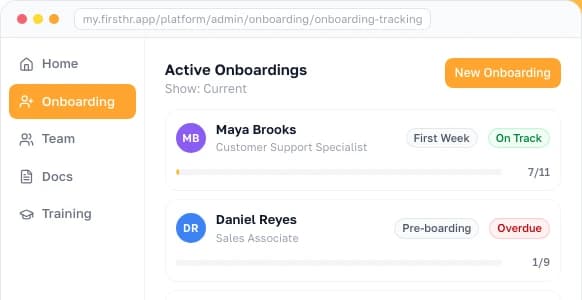
That is the part FirstHR handles: the job description attaches to the employee profile alongside the offer letter and the rest of the onboarding paperwork, acknowledgments come back e-signed with a dated record, and the current version is the one people see. Posting the opening still happens on the job boards you already use, and classification or state posting questions belong with an employment attorney. Applicant tracking is coming soon to FirstHR.

Frequently Asked Questions
What is a job description template?
A job description template is a reusable outline for defining a role: the sections are decided once, and you supply the details for each hire. A complete one covers a header block with the title, reporting line, schedule, exempt or non-exempt classification, and pay range; a short position summary of what the role is for; the essential functions, kept apart from the marginal ones; required and preferred qualifications; physical requirements; an equal opportunity statement that names someone to contact about accommodation; and an acknowledgment making clear the document is not an employment contract. Using the same template across roles matters more than the template being perfect, because consistency is what makes a set of descriptions usable when you are comparing two roles or defending one.
What should a job description include?
Eight things. First, the header block: title, department, reporting line, location, schedule, classification, and pay range. Second, a position summary of two or three sentences on what the role is for. Third, the essential functions, ideally each with a rough share of the person’s time. Fourth, the marginal functions, kept in a list of their own. Fifth, required qualifications, limited to what a new hire truly cannot start without. Sixth, preferred qualifications: skills you would sooner teach than screen for. Seventh, physical and environmental requirements, but only the ones the work really involves. Eighth, the legal layer: an equal opportunity statement, a contact for accommodation requests, an acknowledgment that the description is not a contract, and a signature line. The two pieces people leave out most often are the split between essential and marginal duties and a date for the next review, and both matter later.
How do you write a job description for a small business?
Build it from the job as it is actually done, not from your picture of it: sit down with whoever handles the work today, because the real role is full of small tasks nobody thinks to mention. Get them to list every task from a normal month, then sort each one into essential or marginal. Hold the finished document to a page or two. Spell out the two or three responsibilities the new person will fully own, sketch what an ordinary week involves, and be honest about what the role leaves out, since that section lets poor fits rule themselves out before you spend an interview on them. Fill in the pay range and the exempt or non-exempt classification. Finally, get signatures from the new hire and their manager, keep the signed copy with the employee’s records, and choose a date to review it, because roles at a small company drift faster than roles at an enterprise.
Do I have to include a salary range in a job posting?
It depends on the state where the job will be done, and more and more often the answer is yes. Over a dozen states and the District of Columbia have pay disclosure laws of some kind, and published counts disagree because those laws ask for different things. California applies its rule to employers that have at least 15 employees and requires the pay scale to appear in the posting, not behind a link or a QR code. Colorado’s rule reaches an employer with just one employee in the state. New York applies from four employees up and adds a requirement of its own: if a description of the job exists, the advertisement has to include it. A remote opening adds a wrinkle, since a role someone could do from a covered state may bring that state’s law into play. Look up the rule for where the work will be done before the posting goes live. This is general information, not legal advice.
What is the difference between essential and marginal job functions?
Essential functions are the duties a job exists to get done; marginal functions are the incidental tasks around them. The Equal Employment Opportunity Commission’s regulations under the Americans with Disabilities Act generally treat a duty as essential when the position exists to perform it, when only a few other employees could take it over, or when the work is specialized enough that the person was hired for that particular expertise. A marginal duty is one you could hand to someone else and still have the same job. The line matters because it shapes who counts as qualified for the role and what a reasonable accommodation looks like. It is also the reason to list a physical demand only when the work truly involves it: screening someone out with a lifting requirement the job never actually calls for creates a problem of your own making. This is general information, not legal advice.
Does a job description make an employee exempt from overtime?
No. A job description cannot make anyone exempt, and assuming it can is one of the most expensive mistakes in small business hiring. The Department of Labor says outright that a job title has no bearing on exempt status. Whether someone is exempt from minimum wage and overtime turns on their actual primary duties and on whether their pay passes the regulatory tests, which for the standard white-collar exemptions currently means being paid on a salary basis at no less than $684 a week. Calling the role a manager, or listing supervisory duties the person never really performs, changes nothing about that. It can, however, leave you with a document that contradicts the person’s real job, and that is worse than having no document at all. Settle the classification from the actual duties, then let the description reflect it. This is general information, not legal advice.
Are these job description templates free to download?
Yes. All six download as editable Word documents with no email form and no account. That is worth checking elsewhere, because several of the largest job description libraries put their templates behind a membership or route the download through a lead capture form, and others offer a free tier where the more complete versions sit behind an upgrade. Free also does not mean finished: a template is a structure, and the value is in the specifics you add, which is why one of the six is a fully filled-in example rather than a blank form. Download the version that matches your situation, fill in the brackets, and delete anything that does not fit how you actually work.
How long should a job description be?
One to two pages for the internal description, and under 300 words for the posting version that candidates read. These are two different documents doing two different jobs, which is the distinction most small businesses miss. The internal description is a complete record: every essential function, the classification, the physical requirements, the legal statements, and a signature. The posting carries the same facts in fewer, friendlier words, so a candidate can decide whether to apply. If you publish the internal document as your posting, it reads like a legal notice and applications drop. If you file the posting as your description, you are missing the parts that matter when a classification or accommodation question comes up. Write both from the same source.
Make HR the easy part of running your business
Onboarding, e-signatures, training and core HR in one place. Up and running in 5 minutes.
- 7-day free trial
- No credit card required
- Cancel anytime